Curtain Robot EN Zigbee 3.0 ADCBZI02
User Manual

English

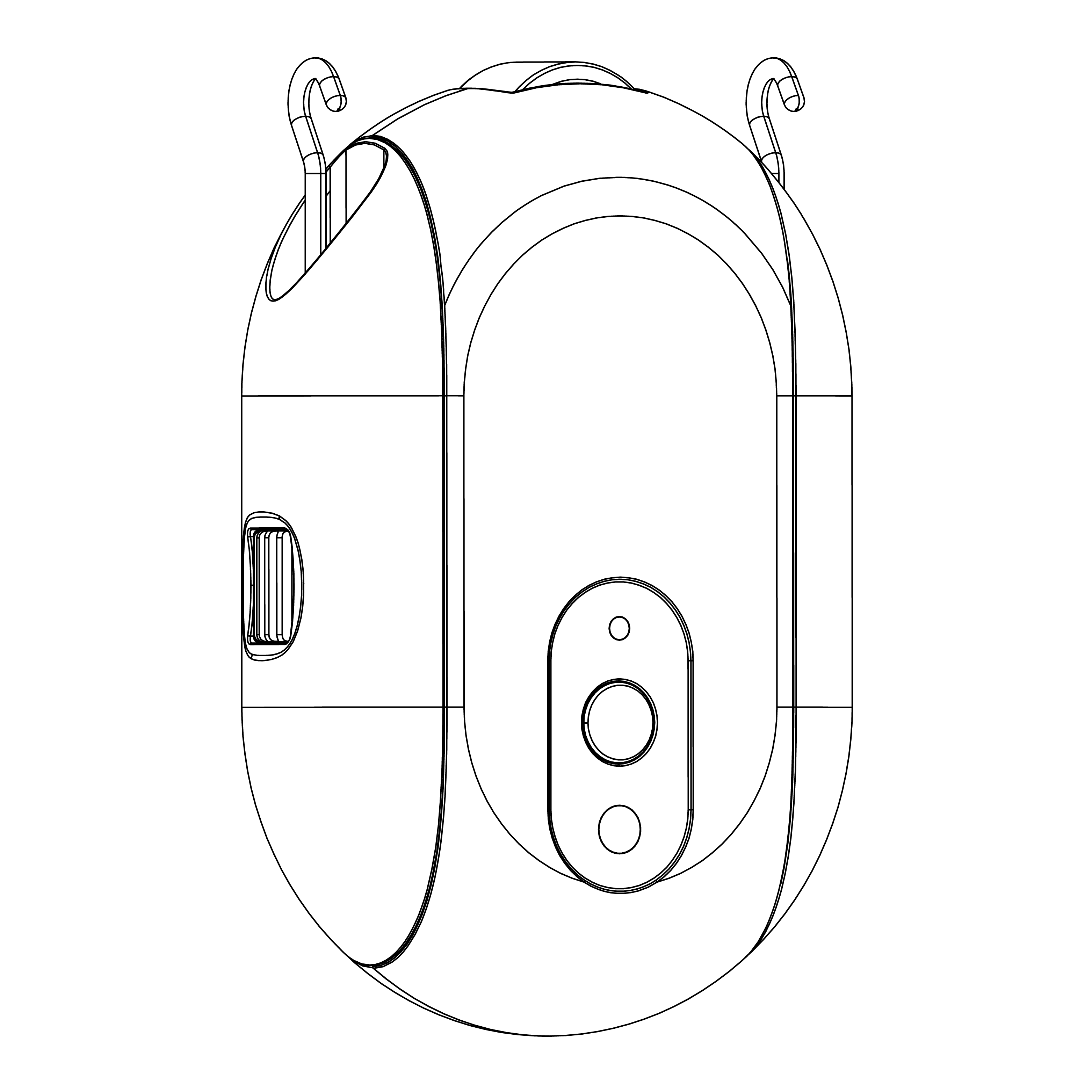
Model: ADCBZI02
Product Name: Smart Curtain Robot
English Name: Smart Curtain Robot
Supported Platform: Powered by Tuya · Tuya Smart
The Smart Curtain Robot is a Zigbee 3.0 device designed to upgrade traditional curtains into smart curtains. After installation, you do not need to replace your existing curtains. You can control curtain opening and closing, adjust the curtain position, and use remote control and automation scenarios through the Smart Life App together with a Zigbee gateway.
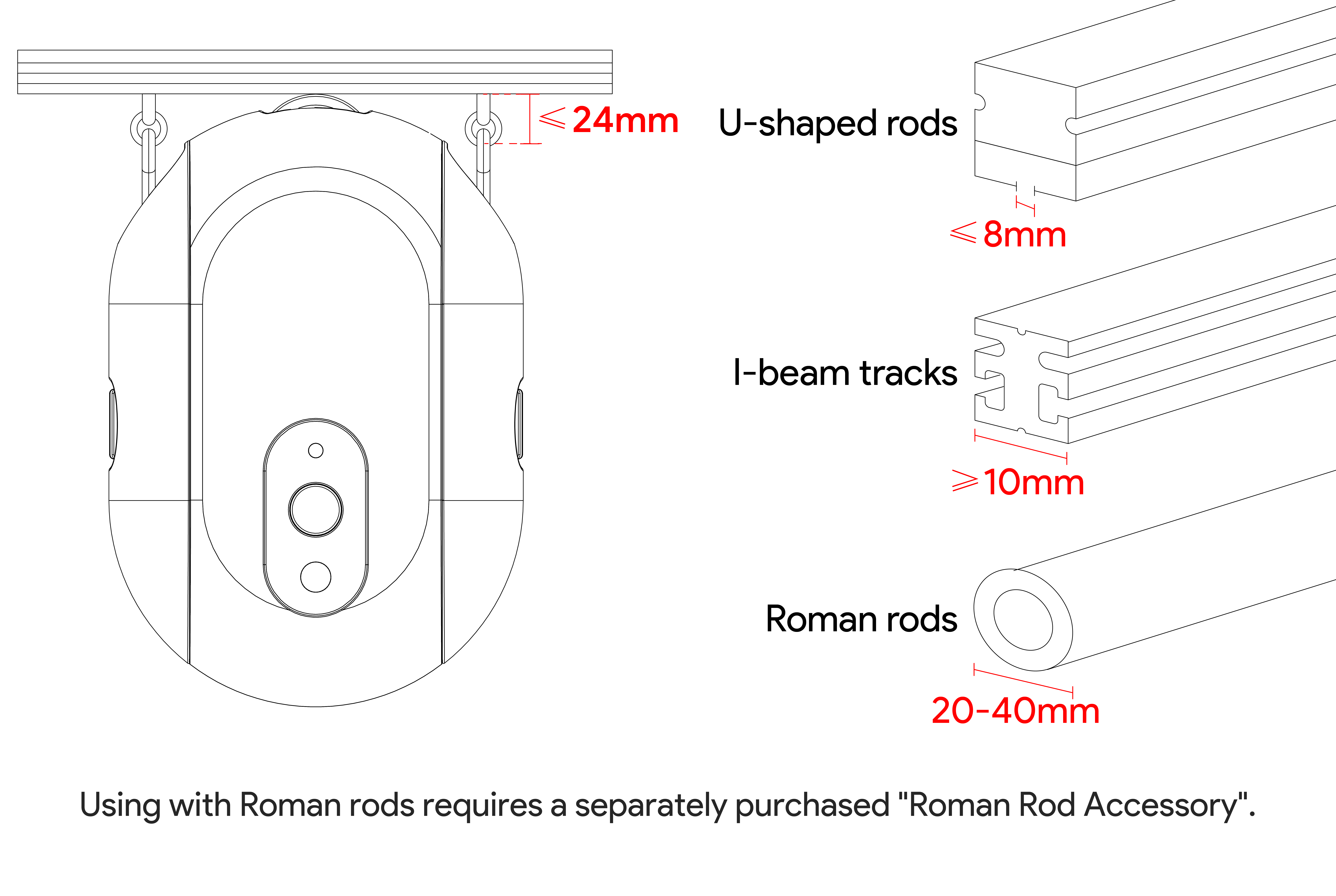
This product is suitable for I-type and U-type curtain tracks. It may also be used directly with some curtain rods when the distance between the curtain ring hook position and the bottom of the rod does not exceed 24 mm, without purchasing an additional curtain-rod accessory.
Smart Curtain Robot main unit × 1
Charging cable × 1
Search for “Smart Life” in your mobile app store and install the App. After installation, log in or create an account, then follow the on-screen instructions in the App to add the device.


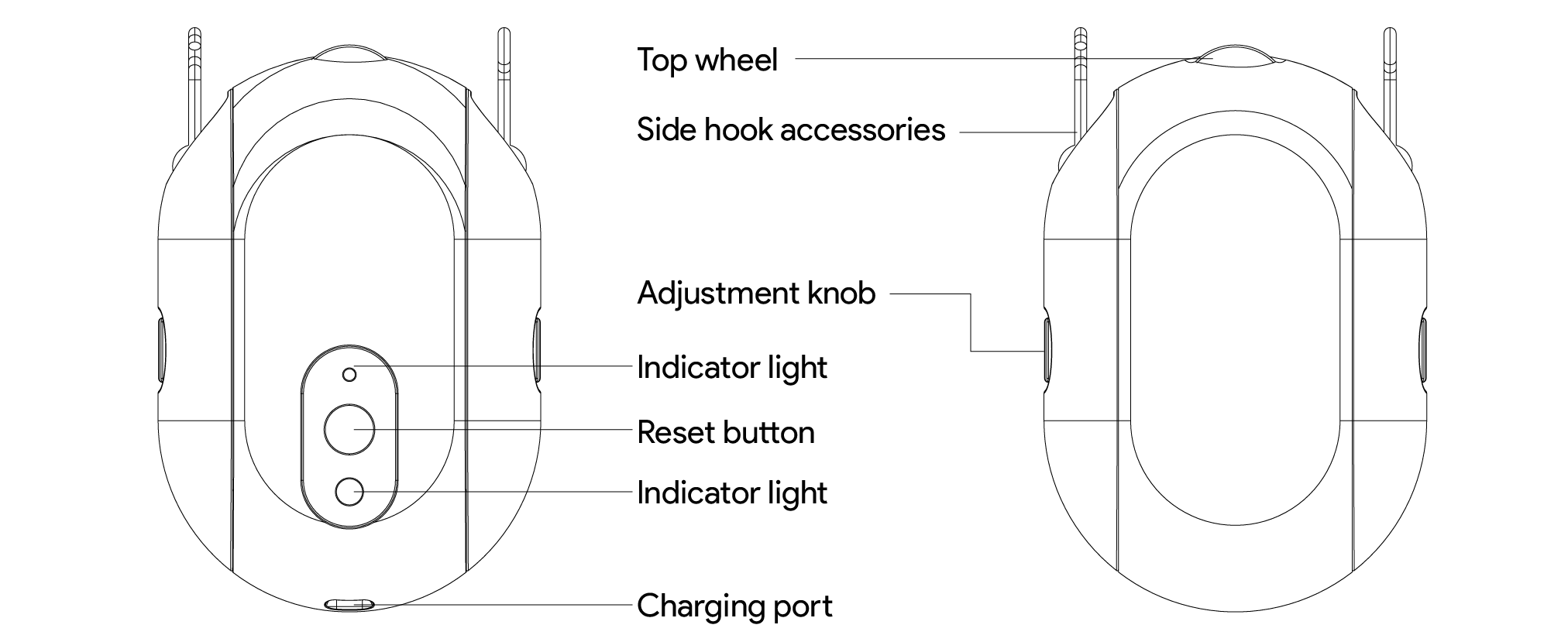
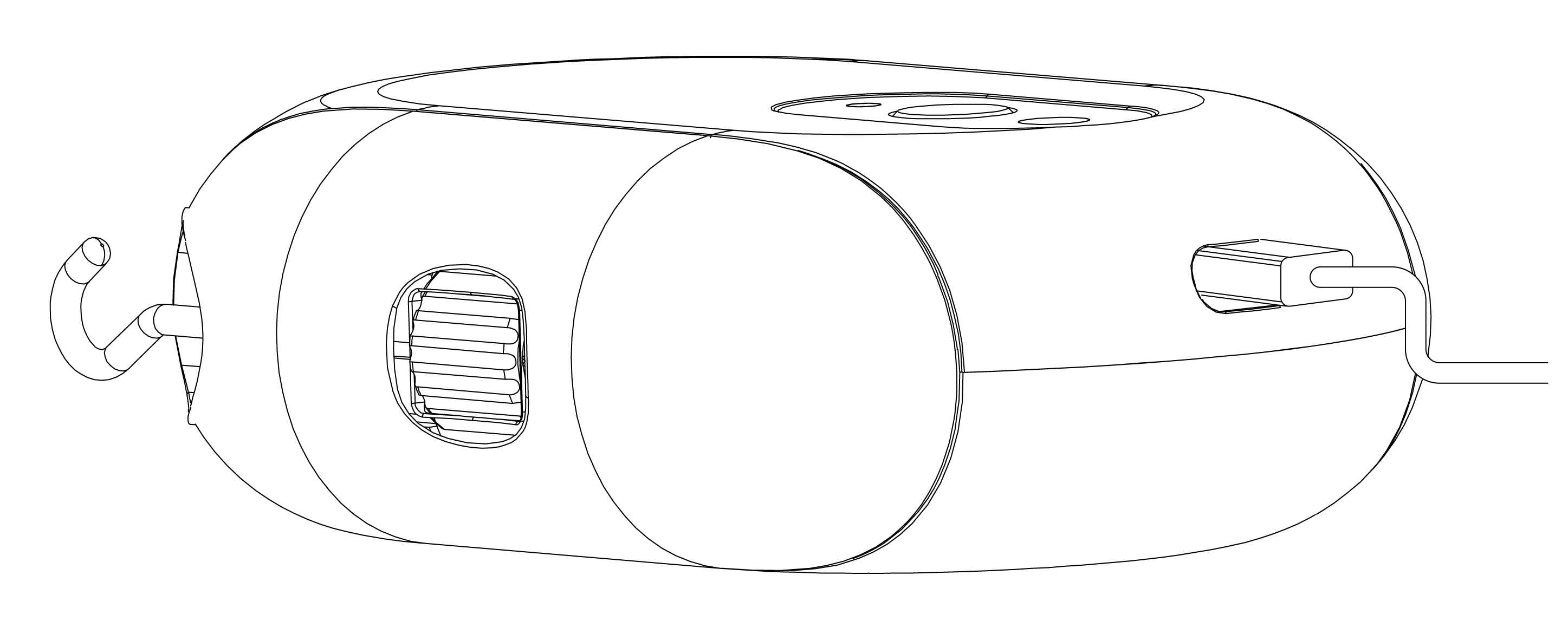
Top roller: Fits against the curtain track and drives the curtain movement
Side hook accessories: Connect to the curtain hook rings and secure the installation position
Side knobs: Adjust the hook position and the tightness between the roller and the track
Reset button: Press and hold for 5 seconds to enter pairing mode; click once during calibration to end early
Blue indicator light: Flashes during network pairing
Charging port: Used to charge the built-in rechargeable battery; port type to be confirmed by hardware
This product is a rechargeable model with a built-in 3000 mAh rechargeable battery. Before first use, charge the device. Use a charging cable that matches the device charging port, together with a power adapter that meets the product requirements.
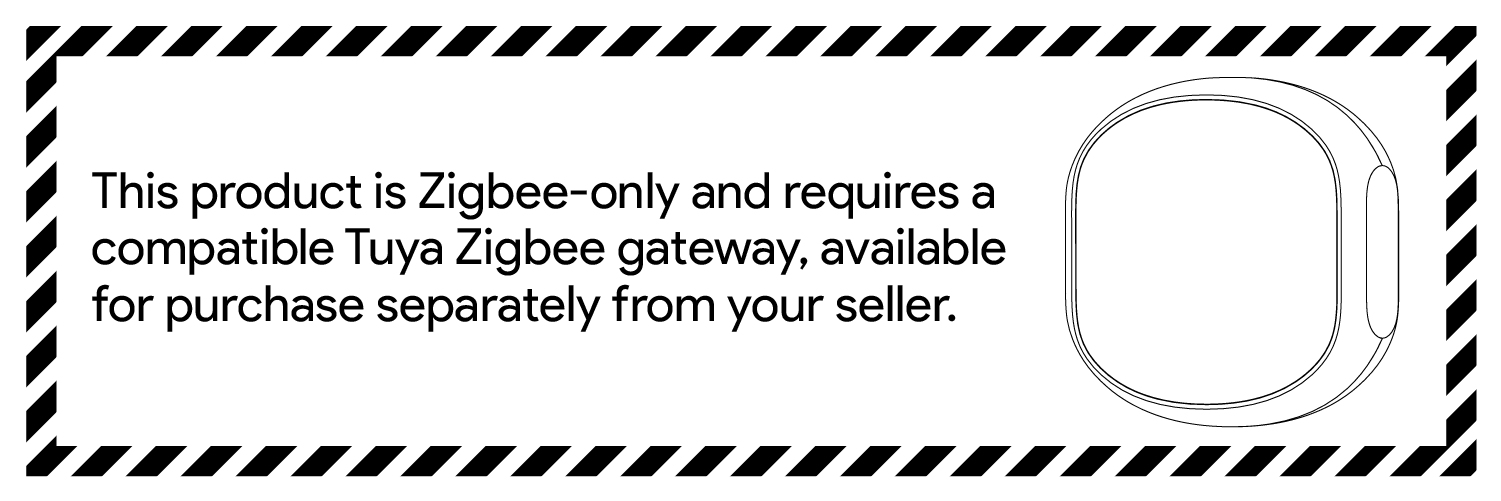
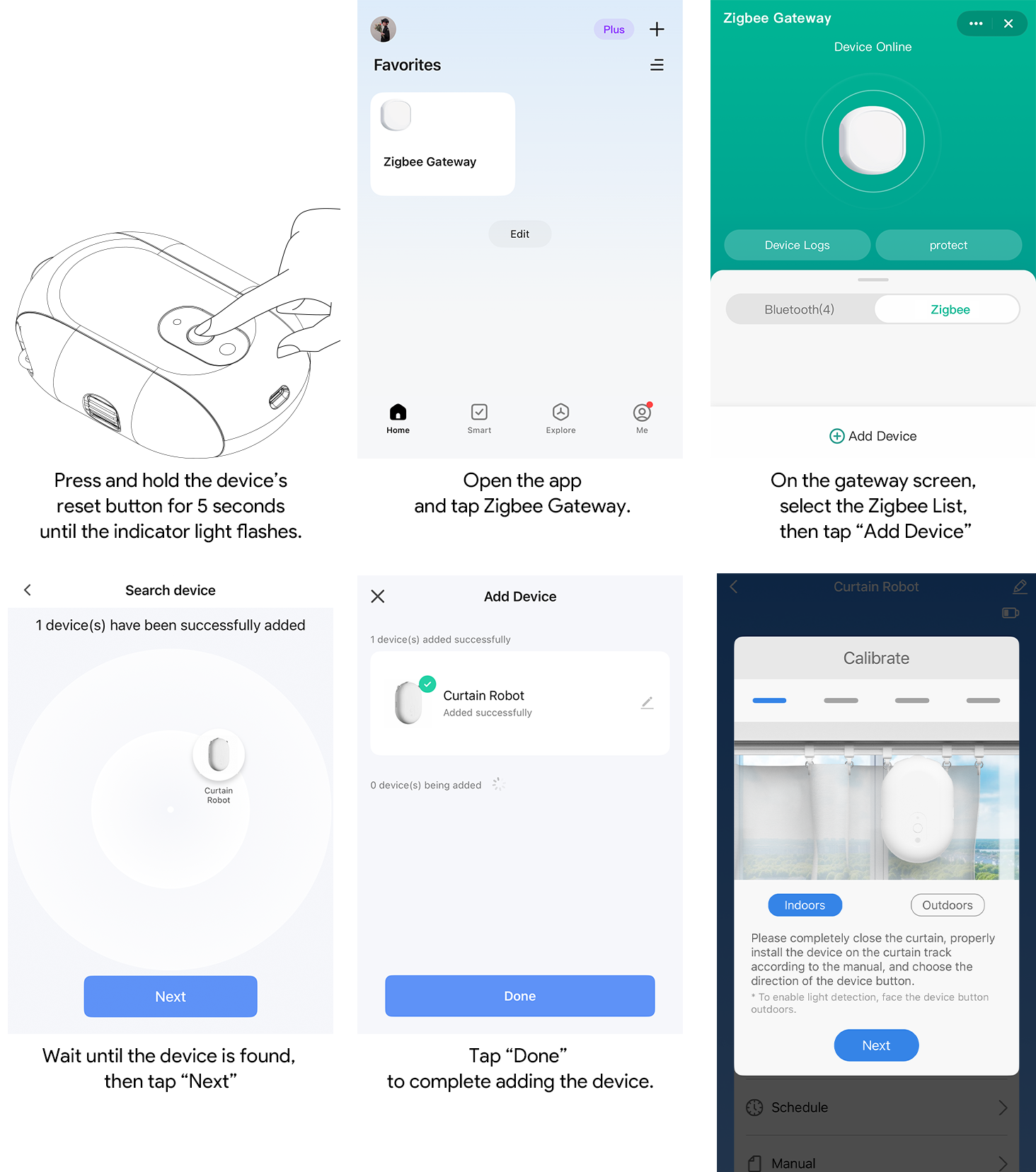
This is a Zigbee device and must be used with a compatible Tuya Zigbee gateway. Before adding the Curtain Robot, make sure the Zigbee gateway has been added to the Smart Life App and is connected normally.
1. Open the Smart Life App and confirm that the Zigbee gateway is online.
2. Enter the gateway page or the App’s add-device page.
3. Follow the App page instructions to add a Zigbee sub-device.
1. Open the Smart Life App.
2. Press and hold the device reset button for 5 seconds until the blue indicator light starts flashing. The device is now in pairing mode.
3. In the App, select your Zigbee gateway and enter the gateway page.
4. Tap “Add Device” under the Zigbee device list.
5. Follow the on-screen instructions to complete pairing.
Before installation, wipe the curtain track and make sure the track surface is dry.
1. Remove one curtain hook at the installation position.
2. Hang the removed hook onto the hook in front of it, leaving two hook positions reserved for installing the curtain robot.
3. Slide the side hook accessories downward relative to the robot body to remove them.
4. Use the side knobs to adjust the hooks to the highest position.
5. Install the two side hooks onto the corresponding curtain hook rings.
6. Reattach the curtain robot body to the side hooks.
7. Adjust the knobs on both sides so that the top roller of the curtain robot fits tightly against the curtain track.

When the distance between the curtain ring hook position and the bottom of the rod does not exceed 24 mm, this product can be used directly with a curtain rod without purchasing an additional curtain-rod accessory.
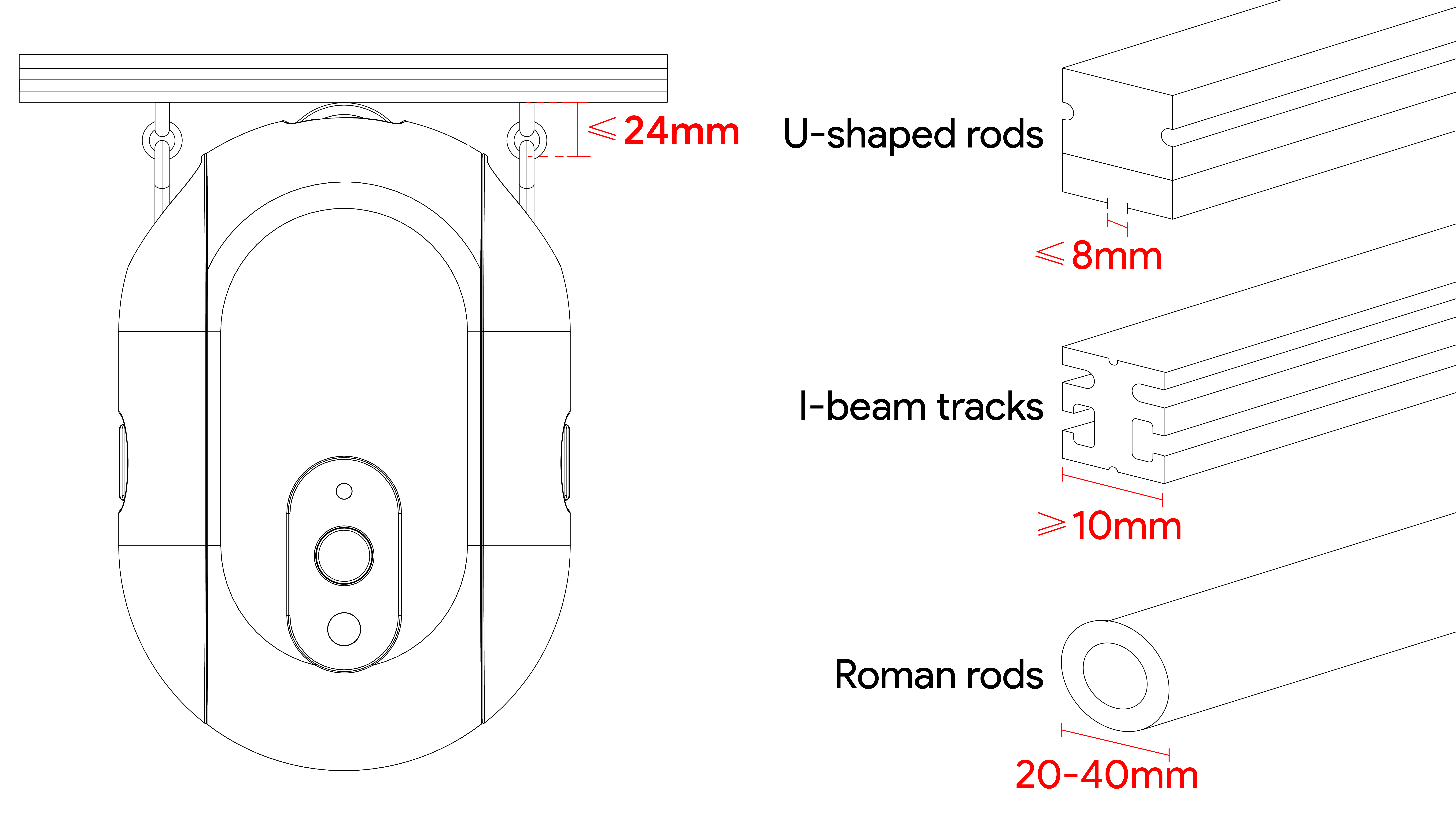
Note: For using with Roman rods, a separately sold accessory is required.
Before using the curtain robot, complete travel calibration.
1. Pull the curtain to the fully closed position.
2. Install the curtain robot correctly.
3. When the front of the device faces indoors, press the button twice to calibrate to the left; press the button three times to calibrate to the right.
4. When the front of the device faces outdoors, press the button twice to calibrate to the right; press the button three times to calibrate to the left.
5. Do not manually pull the curtain during calibration. The device will stop automatically after calibration is complete.
6. To end calibration early, press the button once.

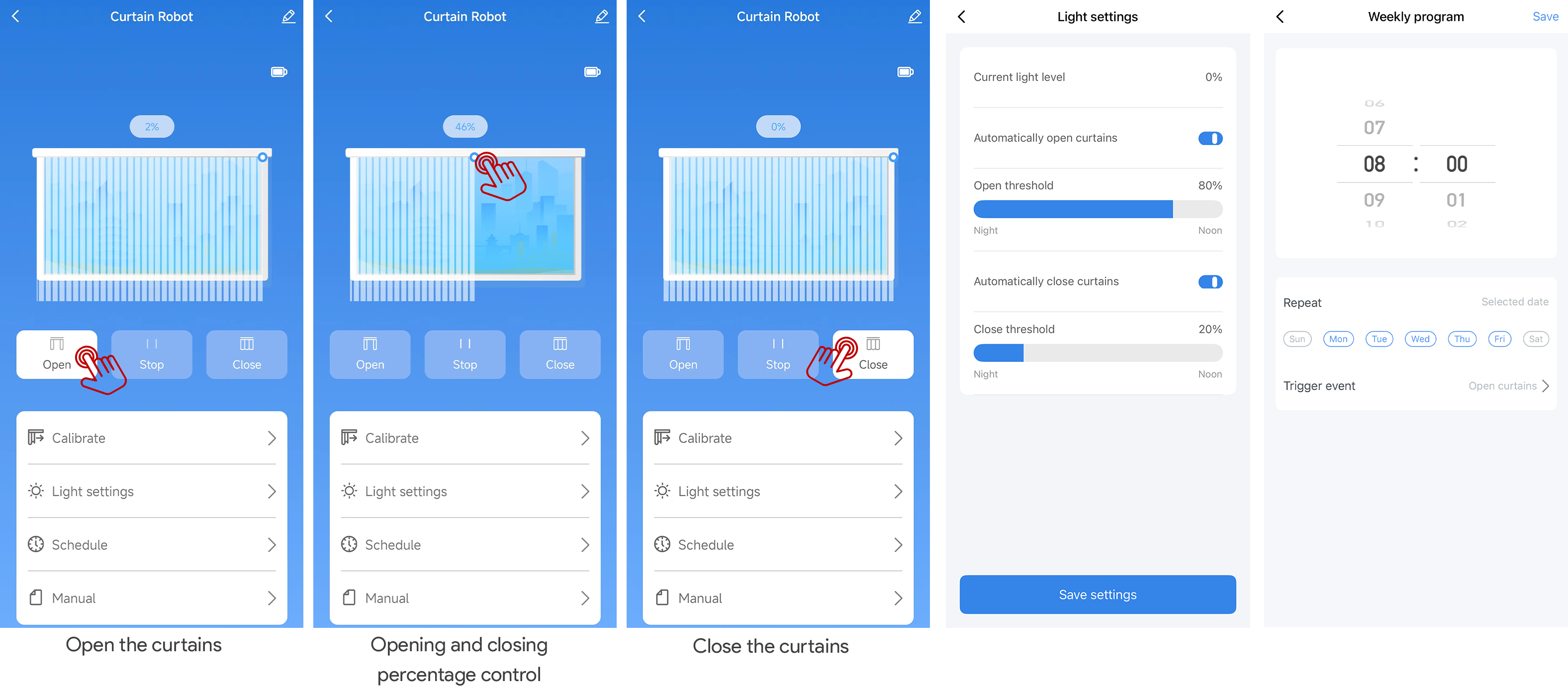
After entering the device panel, you can use the following functions:
Open curtain: Tap the open-curtain icon, and the device moves in the curtain-opening direction
Close curtain: Tap the close-curtain icon, and the device moves in the curtain-closing direction
Position slider: Use the position slider in the panel to adjust the curtain to the target position
Light intensity: View the current light intensity
Light-based opening: Trigger curtain opening based on light conditions
Light-based closing: Trigger curtain closing based on light conditions
Countdown / timer: Supports 1 countdown / timer
Schedule: Supports 4 schedules
When the signal is good, open-curtain or close-curtain actions are usually triggered within 3 seconds.
This product connects to the Tuya cloud through a Zigbee gateway. After binding, it can be remotely controlled through the Smart Life App, and automation scenarios can be created in the App.
Third-party voice assistant support depends on the account region, gateway capability, and cloud authorization. Before confirmation, do not promise Amazon Alexa, Google Assistant, Siri Shortcut, Matter, or HomeKit compatibility on the sales page or in the manual.
Product model: ADCBZI01
Product name: Smart Curtain Robot
Dimensions: 95 × 43 × 140 mm
Weight: 246 g
Power supply: Built-in rechargeable battery
Battery capacity: 3000 mAh
Compatible tracks: I-type track, U-type track; some curtain rod scenarios
Curtain rod compatibility: The distance between the curtain ring hook position and the bottom of the rod does not exceed 24 mm
Communication protocol: Zigbee 3.0
App: Smart Life App
Gateway requirement: Requires a Zigbee gateway
Operating temperature: 0°C to 45°C / 32°F to 113°F
Operating humidity: 0% to 95% RH, non-condensing
General Warnings
• This product is for indoor dry environments only.
• This product is not waterproof. Do not install or place it in humid environments.
• This product contains a battery. Do not use, charge, or store it in high-temperature environments.
• Do not obstruct the curtain robot while it is moving, otherwise the internal mechanical structure or motor may be damaged.
• If abnormal noise, odor, obvious heating, or motion failure occurs during use, stop using the product and contact after-sales support.
• Do not disassemble, modify, or repair this product by yourself.
• This product is not a safety device and must not be used in safety-critical scenarios involving personal safety.
Child Safety Warnings
• Keep the product and small parts in the package out of reach of children.
• Children are not recommended to install, calibrate, or operate this product by themselves.
• When the device is running, keep children away from moving parts and prevent them from pulling the curtain.
Network and Privacy Notice
• Add the device through a trusted home network and Zigbee gateway.
• The upstream data of this product is encrypted and transmitted through the Tuya cloud. After binding, you can view and revoke authorization in the Smart Life App.
• For multi-user sharing, use the “Home Member” feature in the App instead of sharing account passwords directly.
What does the flashing blue light mean? •The device is in pairing mode. Add it through the Zigbee gateway in the Smart Life App.
What should I do if the App cannot find the device? •Confirm that the blue light is flashing and that the Zigbee gateway is online. If the device still cannot be added, press and hold the reset button for 5 seconds to enter pairing mode again.
What should I do if the curtain moves in the wrong direction? •Recalibrate the curtain and confirm the correct number of button presses based on whether the front of the device faces indoors or outdoors.
Can I manually pull the curtain while the device is running? •Not recommended. Manually pulling the curtain during operation may affect positioning or damage the internal mechanical structure.
Can it be used with a curtain rod? •It can be used directly when the distance between the curtain ring hook position and the bottom of the rod does not exceed 24 mm.
Is a Zigbee gateway required? •Yes. This product must connect to the Smart Life App through a Zigbee gateway.