Contact Sensor (Zigbee) EN
User Manual

English


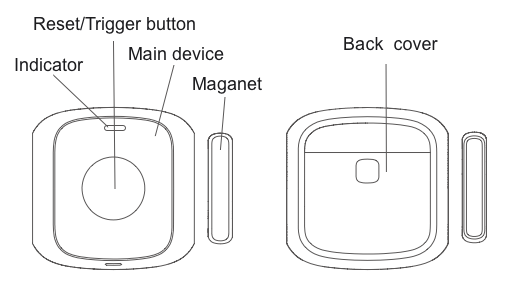
Linkoze Door/Window Sensor detects the open/close status of household facilities like doors, windows, and drawers. With Linkoze Cloud services, the low-energy sensor can be part of the smart scenes and provide essential trigger conditions for home automation.
You can search "Smart Life" in the mobile application store to install the App


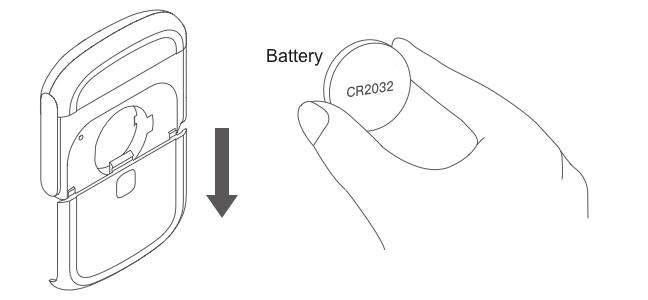
Slide down the rear cover to open the device case. Then put a battery into the product.
Long press the reset button for 10 seconds and release, the device is ready to be paired when the green LED flashes.

This button not only acts as a reset button, but also triggers a series of processes.
Open the app and choose your existing hub, enter the Search device page and add your device.

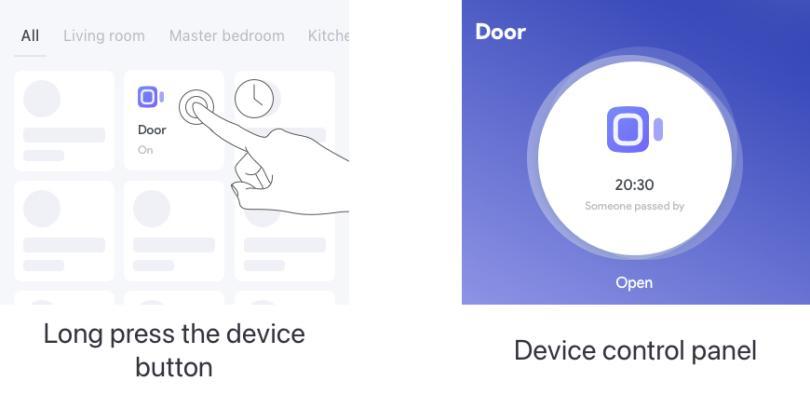
After the sensor is paired, you can long press the device button on the main page of the App to inspect the sensor status and view alarm history.
.
To install the sensor:
1. Remove the protective films on the backside of both the sensor unit and the magnet.
2. During installation, align the mark of the main device and the magnet.
3. Install the product on a door or window with the main device fixed on the door or window frame.

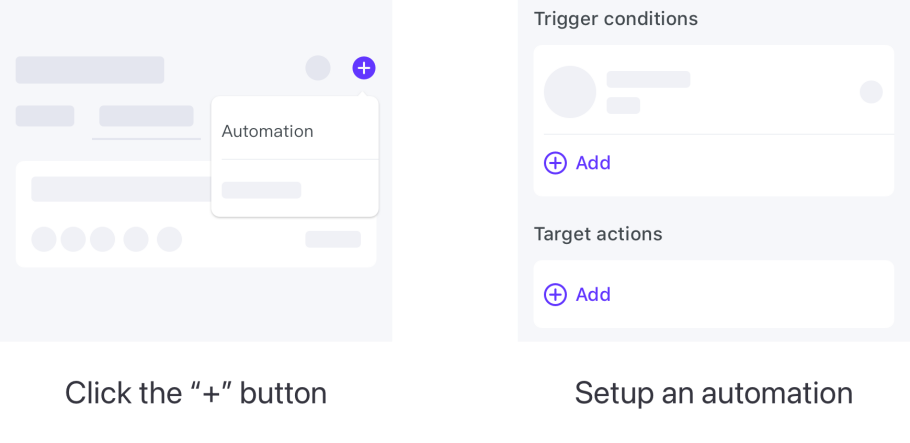
The automation function is available in the App to connect different devices. Each automation contains a series of trigger conditions and target actions. The target actions will be automatically triggered when the conditions are met.
To set up an automation, click the “+” button in the upper right corner of the automation page. You can use the sensor as a trigger condition and create target actions with other Linkoze appliances.
Do not install the product outdoors, on an unstable base, or anywhere unprotected from the rain.
Do not place magnetic metals or other objects near the product to maximize signal strength. When pasting and installing, it is necessary to ensure that the installation place of the sensor should be smooth, flat, dry, and clean.
Sensor dimensions : 51.2 x 51.2 x 12.6 mm
Sensor weight: 20g
Magnet dimensions: 34.5 x 7.6 x 12.4 mm
Magnet weight: 6g
Wireless protocol: Zigbee
Working voltage: DC 3V
Battery type: CR2032