Temperature and Humidity Sensor (WiFi, EN)
User Manual

English


You can search "Smart Life" in the mobile application store to install the App


Slide down the rear cover to open the device case. Then put two batteries into the product.

Use a pin to long press the reset button for at least 5 seconds and release, the device is ready to be paired when the LED flashes.

Open the App and click the "+" button on the upper right corner, then click the scan button in the "Add a device" panel and follow the instructions in the app to pair the device.

After the thermometer is paired, you can long press the device button on the main page of the App to inspect the thermometer status and view history data.

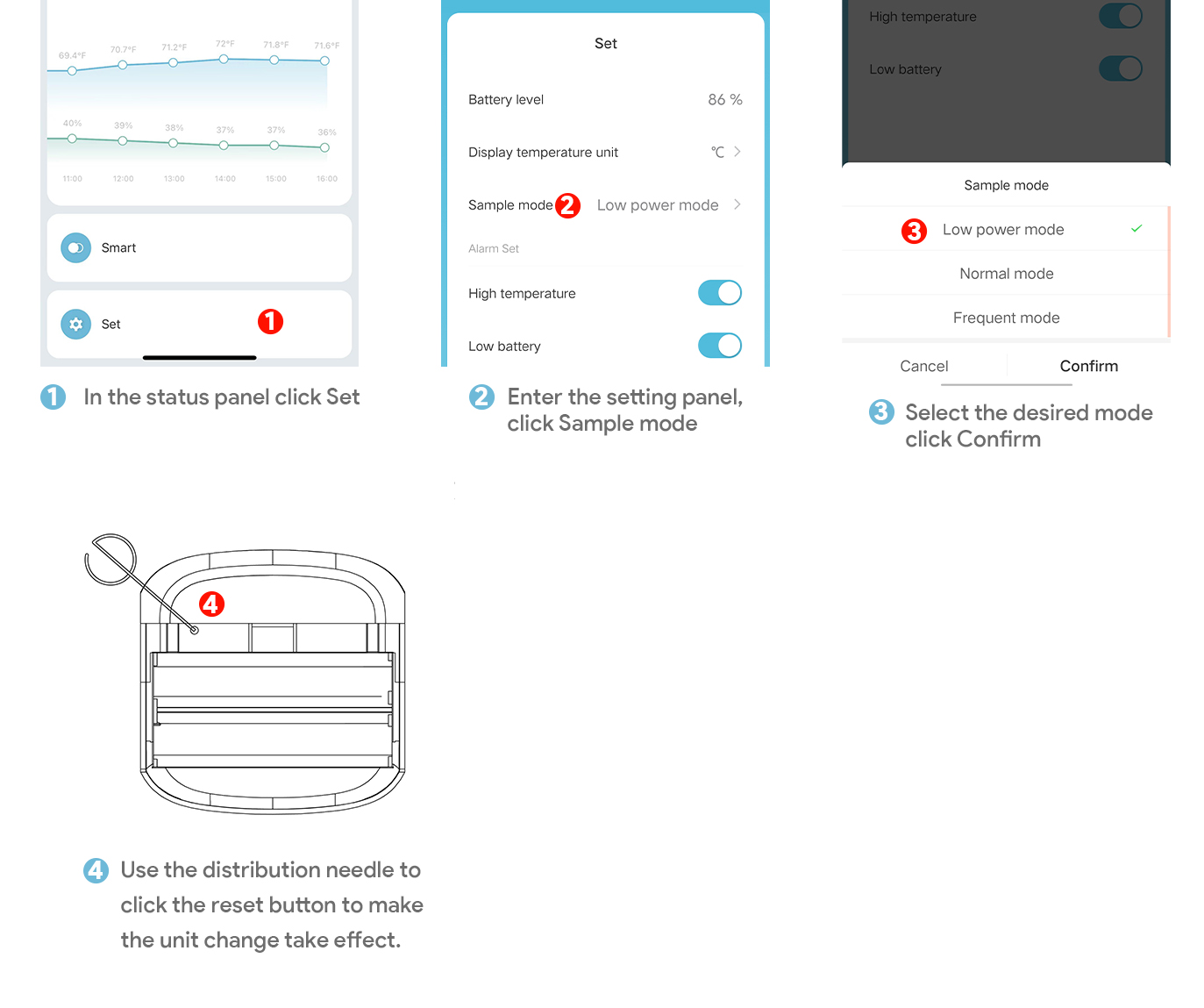
If you need to change the sampling mode, please enter the device panel and click the setting bar to switch; during the switching process, you can choose to use the needle and press the reset button for 1 second until the indicator light is on, release it to make the unit take effect, or wait for the device itself to report next time Automatically take effect


Installation method: Use a 3M sticker to affix the product to a proper position.

The automation function is available in the App to connect different devices. Each automation contains a series of trigger conditions and target actions. The target actions will be automatically triggered when the conditions are met.To set up an automation, click the "+"button in the upper right corner of the automation page. You can use the thermometer as a trigger condition and create target actions with other smart appliances.

Dimensions: 51 x 51 x 16.5 mm
Weight: 18.5 g
Recommended temperature range: -9.9 ℃ - 60 ℃ / 14℉-140℉
Recommended humidity range: 5 %RH - 95 %RH
Wireless protocol: 2.4GHz Wi-Fi
Working voltage: DC 3V
Battery type: AAA