Temperature and Humidity Sensor EN Zigbee 3.0 LKTMZL02
User Manual

English

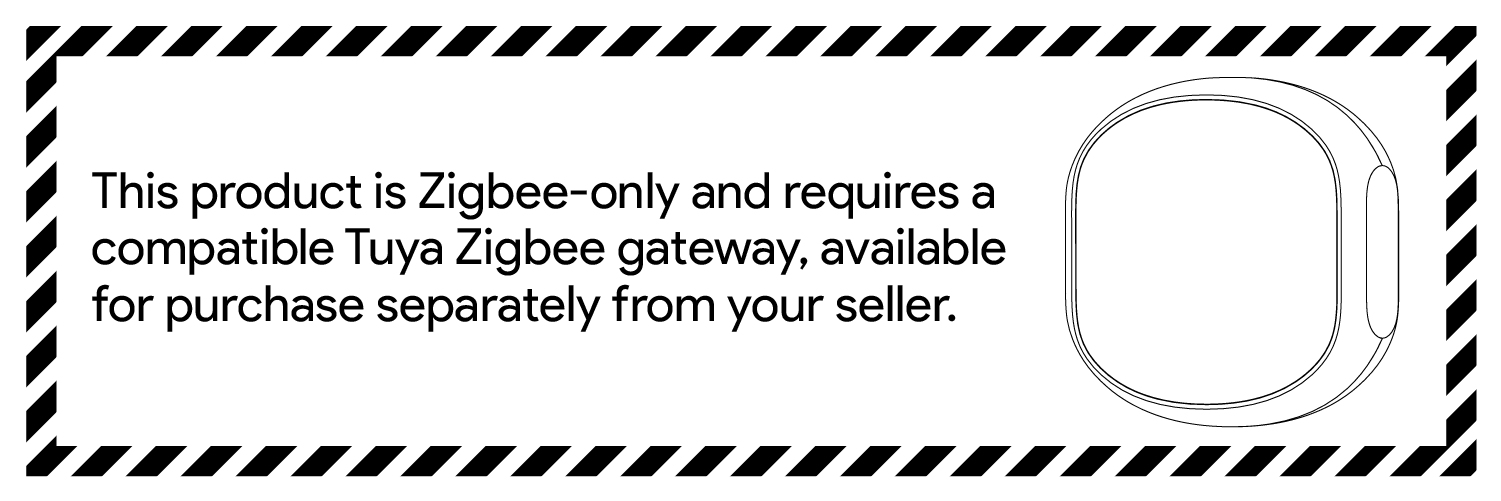

This sensor requires a Zigbee gateway to connect to the internet.
Smart Life is the mobile platform for controlling devices. You can search for "smart life" in the mobile app store to install the app .


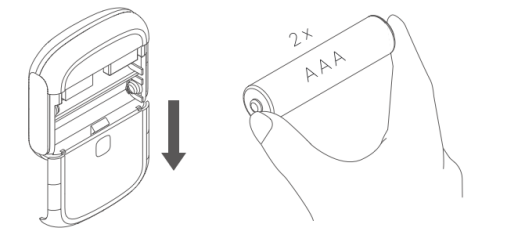
Slide down the rear cover to open the device case. Then put two batteries into the product.
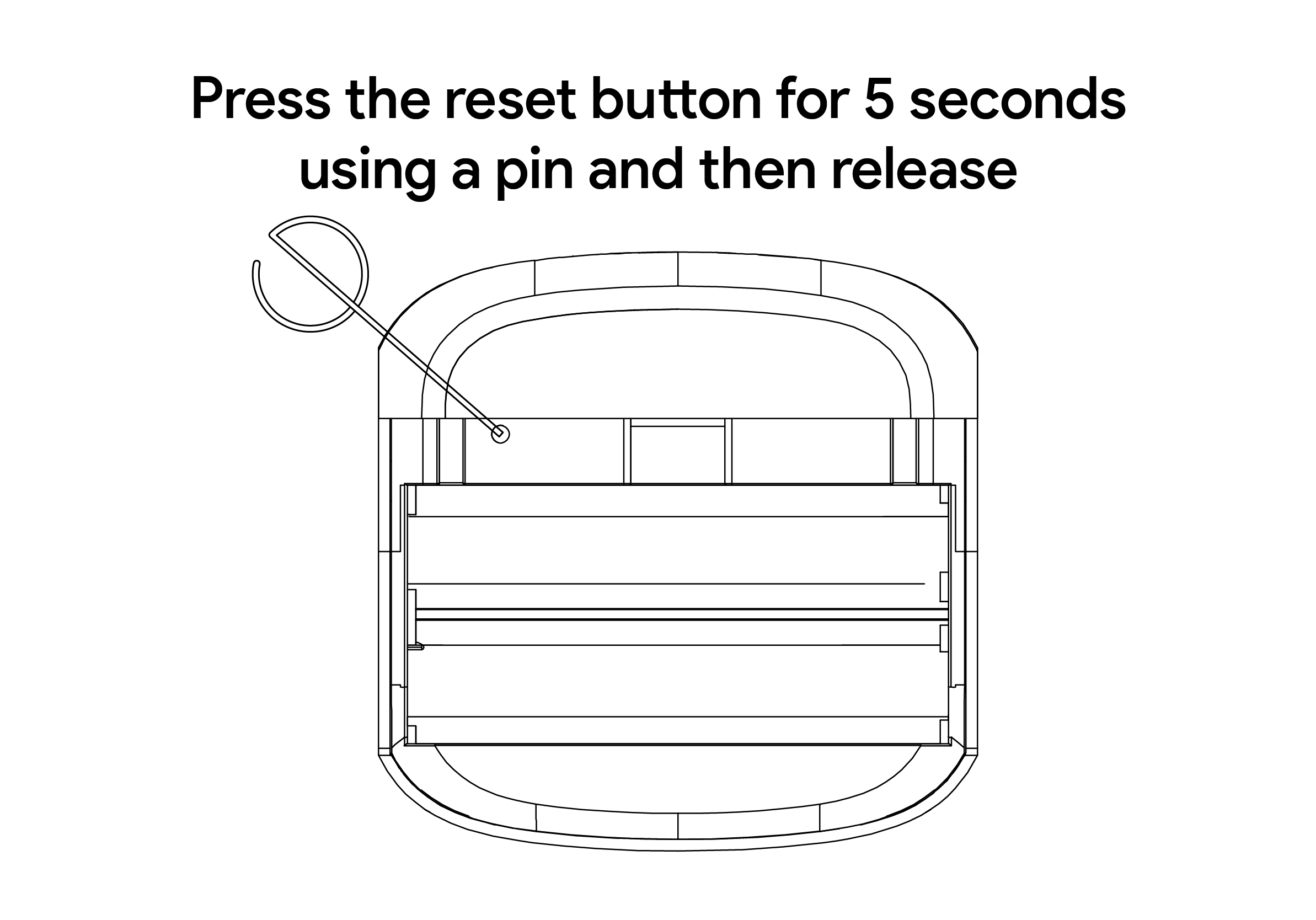
Use a pin to long press the reset button for at least 5 seconds and release, the device is ready to be paired when the LED flashes.
Before pairing, please ensure that you have successfully paired a working Zigbee gateway. Inside your gateway user interface on the App, select the Zigbee device list, click Add New Device, and wait for the pairing process to complete.
Note: Zigbee devices must be used in conjunction with a Zigbee gateway to connect to the network.
.png)
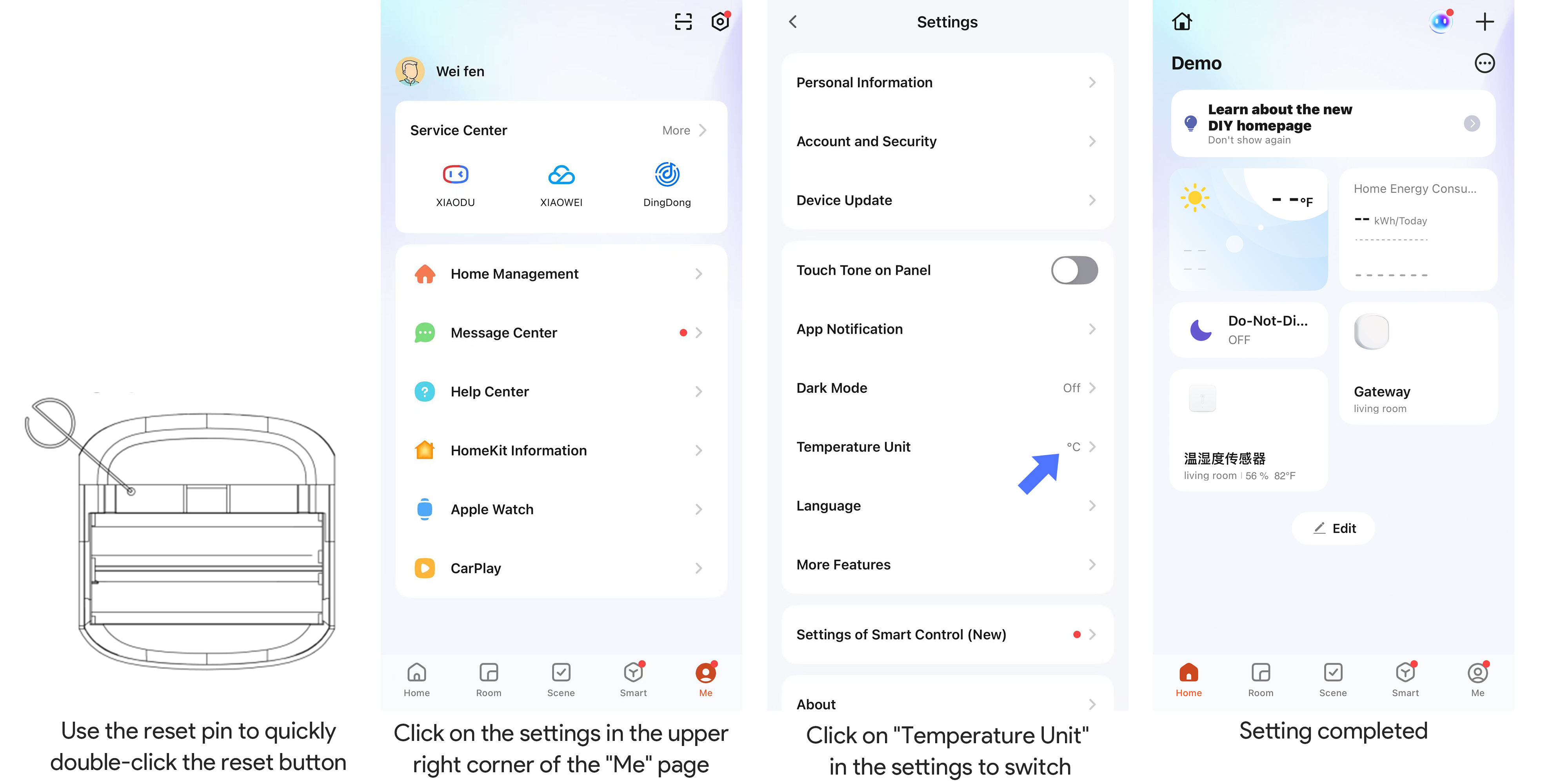
To switch the temperature unit (℃/℉) on the device, quickly press the reset button twice with a pin. When the LED flashes twice, check the display — the unit has been updated.
Note: This only changes the unit on the device. To display Fahrenheit in the app, go to app settings, set the temperature unit to “Fahrenheit”, and set the language to English for consistent display.
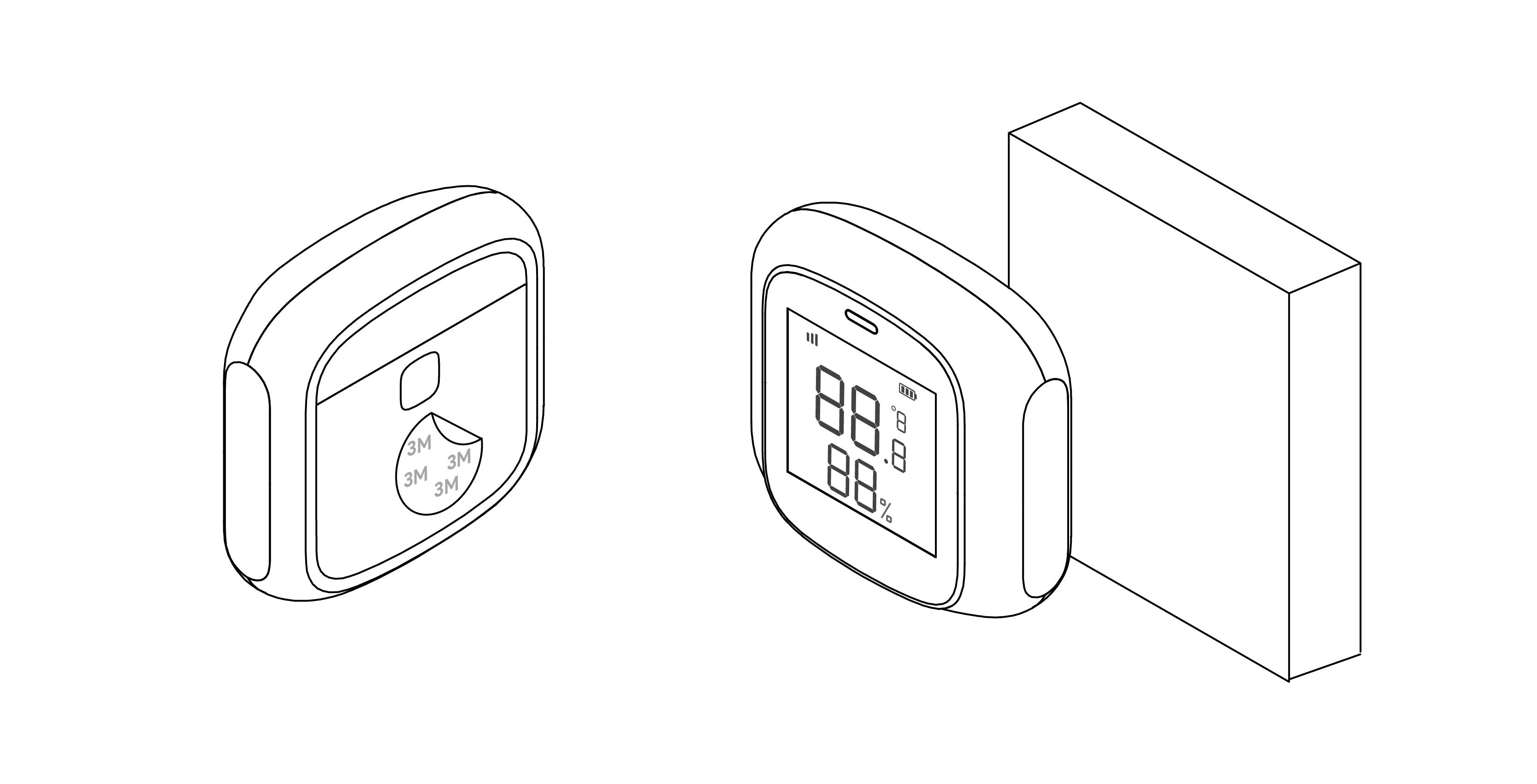
Installation method: Use a 3M sticker to affix the product to a proper position.
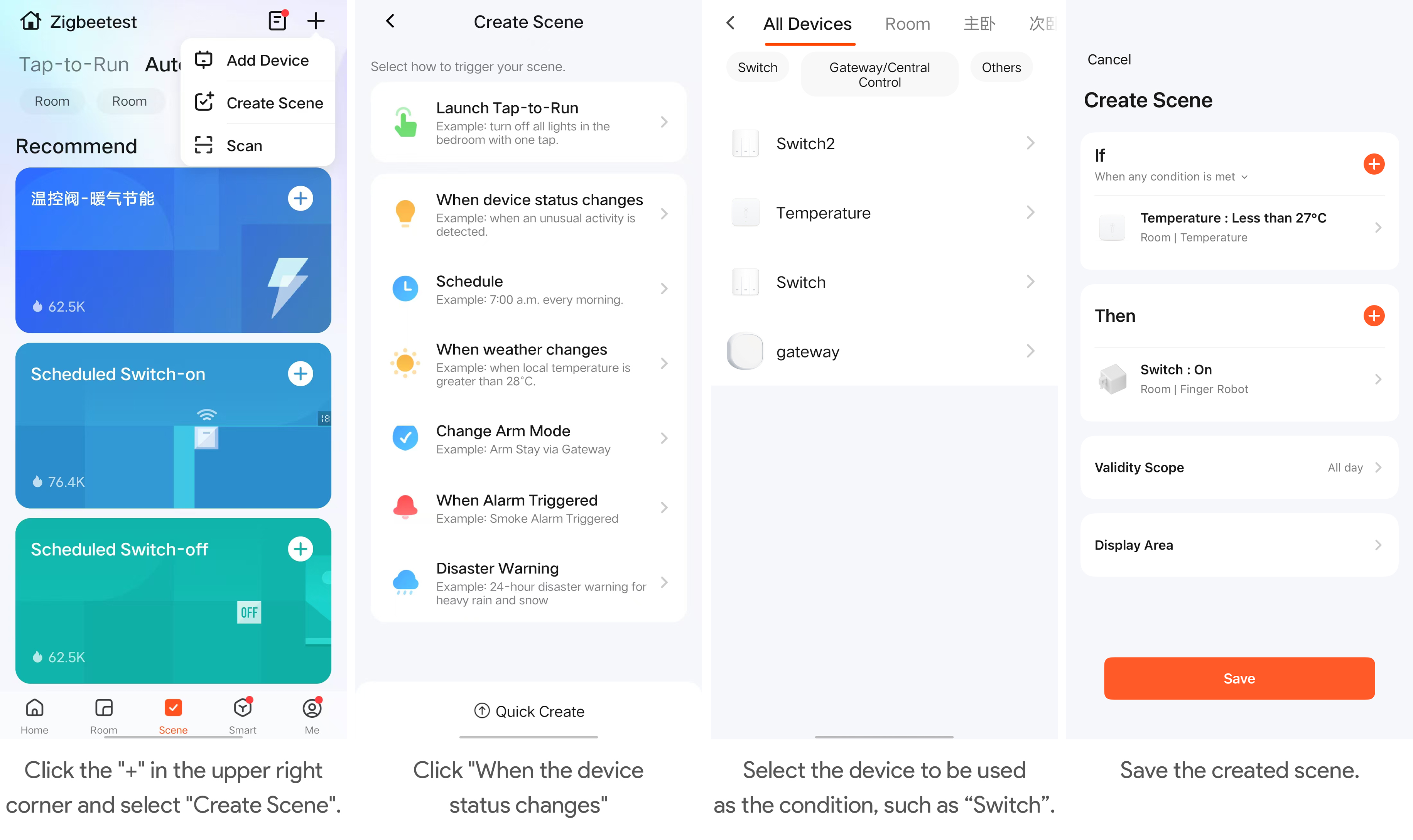
Automation features are available in the app for connecting different devices. Each automation consists of a series of trigger conditions and target actions. When the conditions are met, the target actions will be triggered automatically. To set up an automation, click "Create a Routine" on the device panel. You can use a thermometer as a trigger condition and create target actions with other smart home appliances.
The automation feature in the application can connect different devices. Each automation consists of a series of trigger conditions and target actions. When the conditions are met, the target action will be triggered automatically. To set up automation, click the "+" button in the upper right corner of the scene page. You can use a dual-key switch as a trigger condition and create target actions together with other smart devices.
Dimensions: 51 x 51 x 16.5 mm
Weight: 21g
Recommended temperature range: -9.9℃ - 60 ℃ / 14℉ - 140℉
Recommended humidity range: 5 %RH - 95 %RH
Wireless protocol: Zigbee 3.0
Working voltage: DC 3V
Battery type: AAA