Remote (2-Key) EN Zigbee 3.0 LKWSZ211
User Manual

English


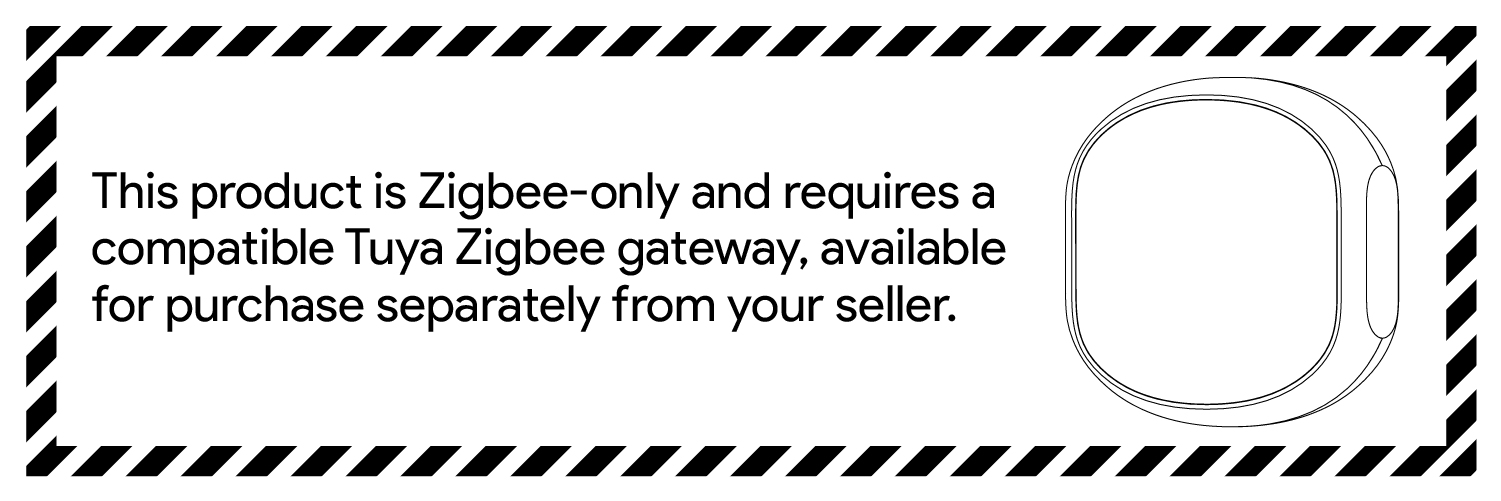

The wireless dual-button switch (Zigbee version) is a smart controller used to control other smart home devices. It includes two buttons, and each button can trigger a series of smart scenes through cloud services.
Smart Life App is the mobile platform for controlling IoT devices. To install the app, you can search "Smart Life" in the mobile application store.


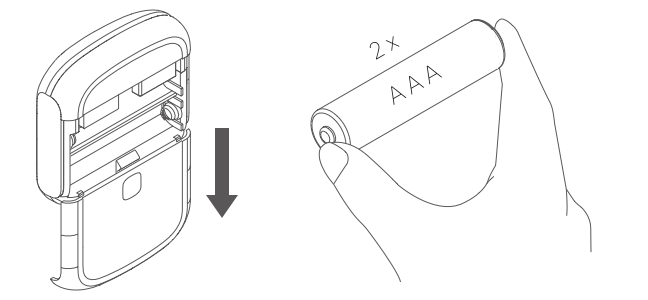
Slide down the back cover to open the device case. Then, put two AAA batteries into the product.
Hold an arbitrary button of the wireless switch for 10 seconds, then release. The device is ready to be paired when the indicator light starts to flash.

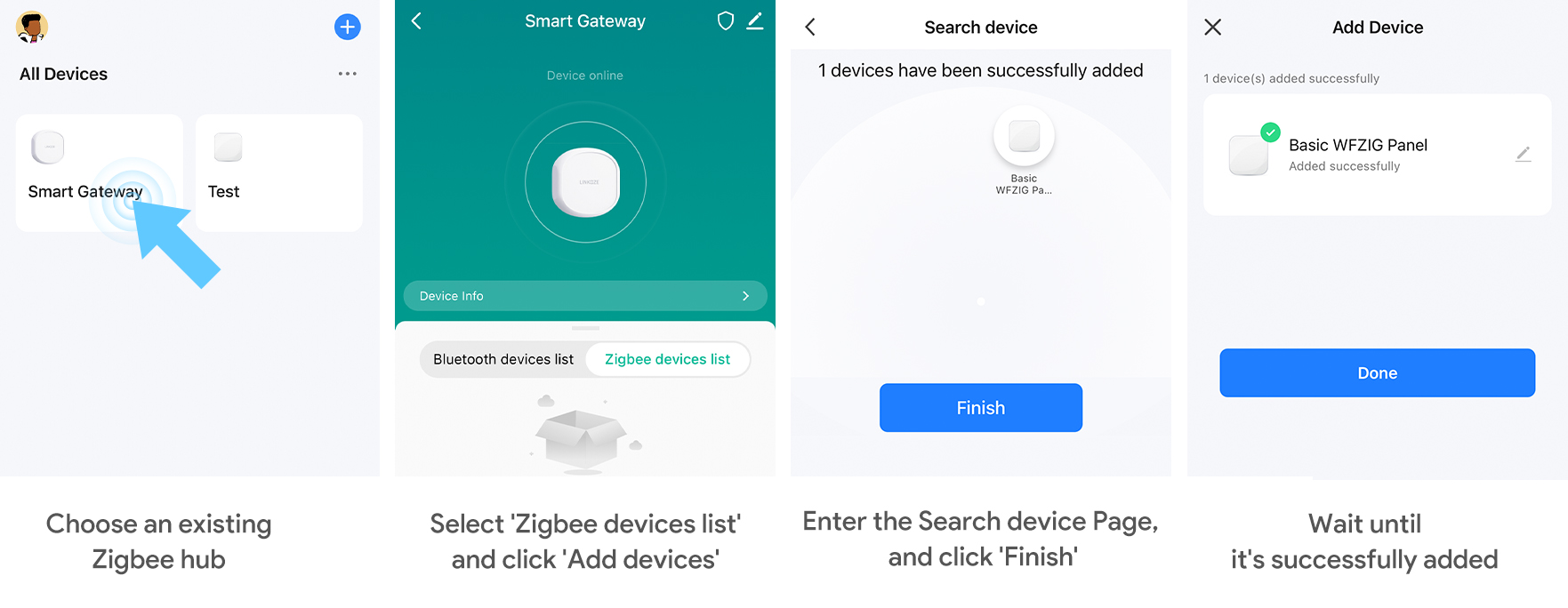
Before pairing, please ensure that you have successfully paired with a working Zigbee gateway. Inside your gateway interface, select the Zigbee device list, click Add New Device, and wait for the pairing process to complete.
Note: Zigbee devices need to be used together with a Zigbee gateway to connect to the network.
The device is equipped with two multifunctional buttons, each of which supports the following three operation methods:
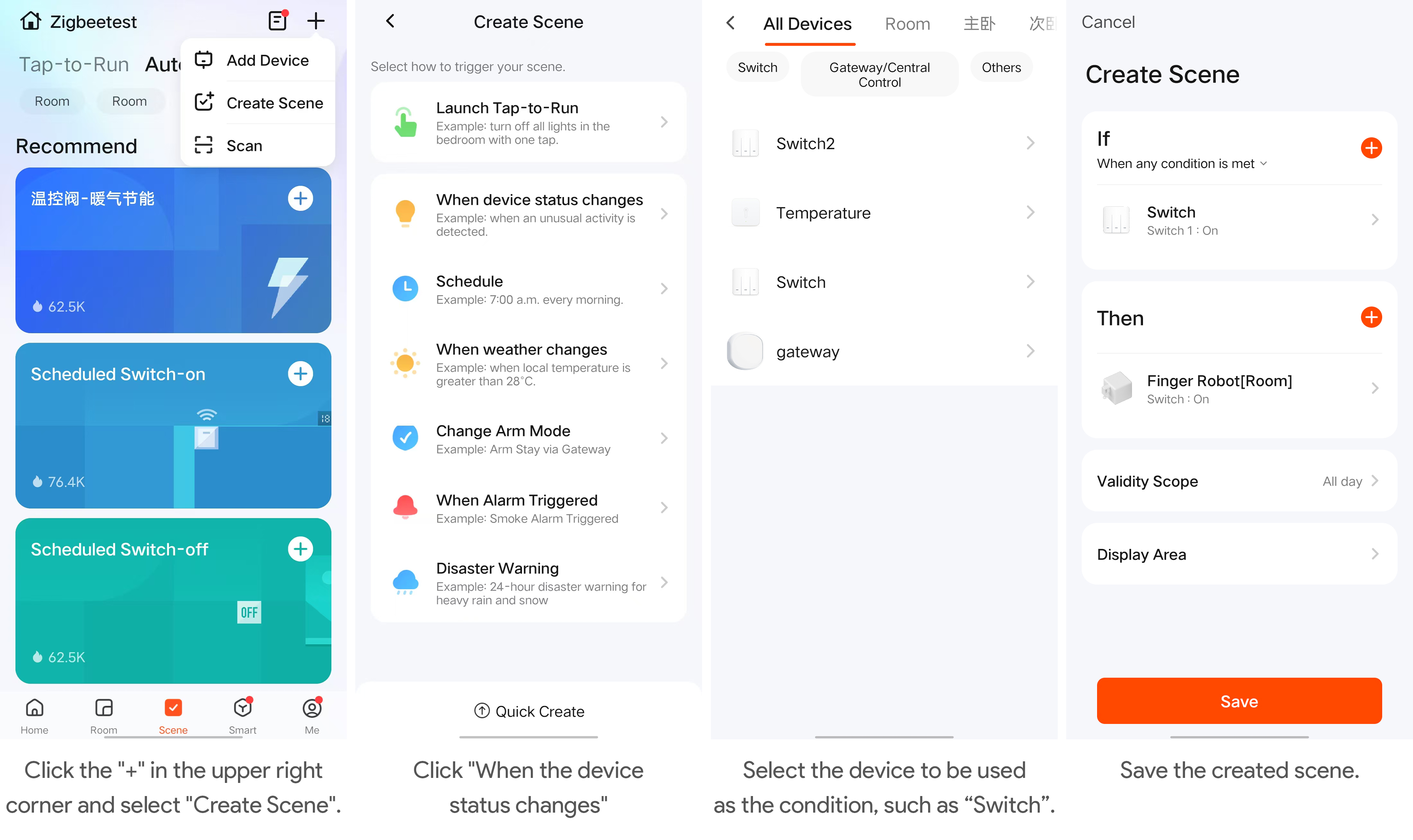
The automation feature in the application can connect different devices. Each automation consists of a series of trigger conditions and target actions. When the conditions are met, the target action will be triggered automatically. To set up automation, click the "+" button in the upper right corner of the scene page. You can use a dual-key switch as a trigger condition and create target actions together with other smart devices.
Dimensions: 51.2 x 51.2 x 12.6 mm
Weight: 20g
Key number: 2
Wireless protocol: Zigbee
Working voltage: DC 3V
Battery type: CR2032