MSFB0301-EN
User Manual

English

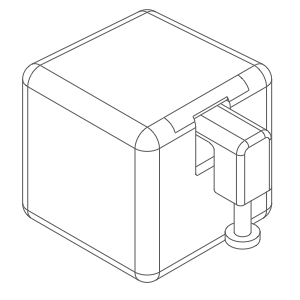


Fingerbot is the world’s smallest robot for smartly controlling different types of buttons and switches. It can control your existing home appliances with robotic clicks. Switch lights via app, schedule a morning coffee, activate your vacuum cleaner with voice command, and remotely power on your office PC. Now all these become effortless with Fingerbot.

Smart Life app is the mobile platform for controlling Smart Life devices. You can search Smart Life' in the mobile application store to install the app.


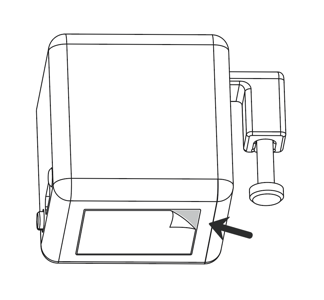
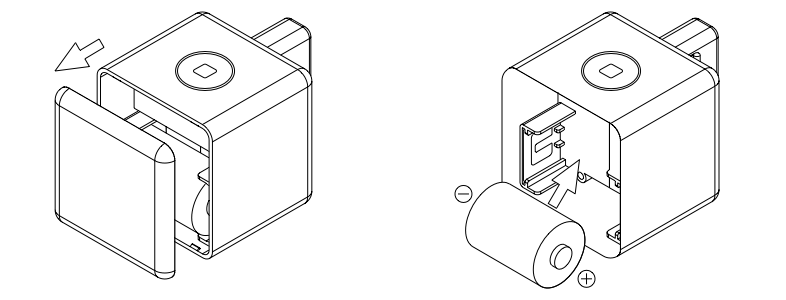
Please open the case from behind and remove the battery insulation sheet to power on the device before use.

When pairing your Fingerbot to a new account, a device reset is needed. Please long-press the reset button for 5 seconds until the blue light flashes to reset the device.

Open the App and click the "+" button on the upper right corner, then click the sensor button in the "Add a device" panel and follow the instructions in the app to pair the device.
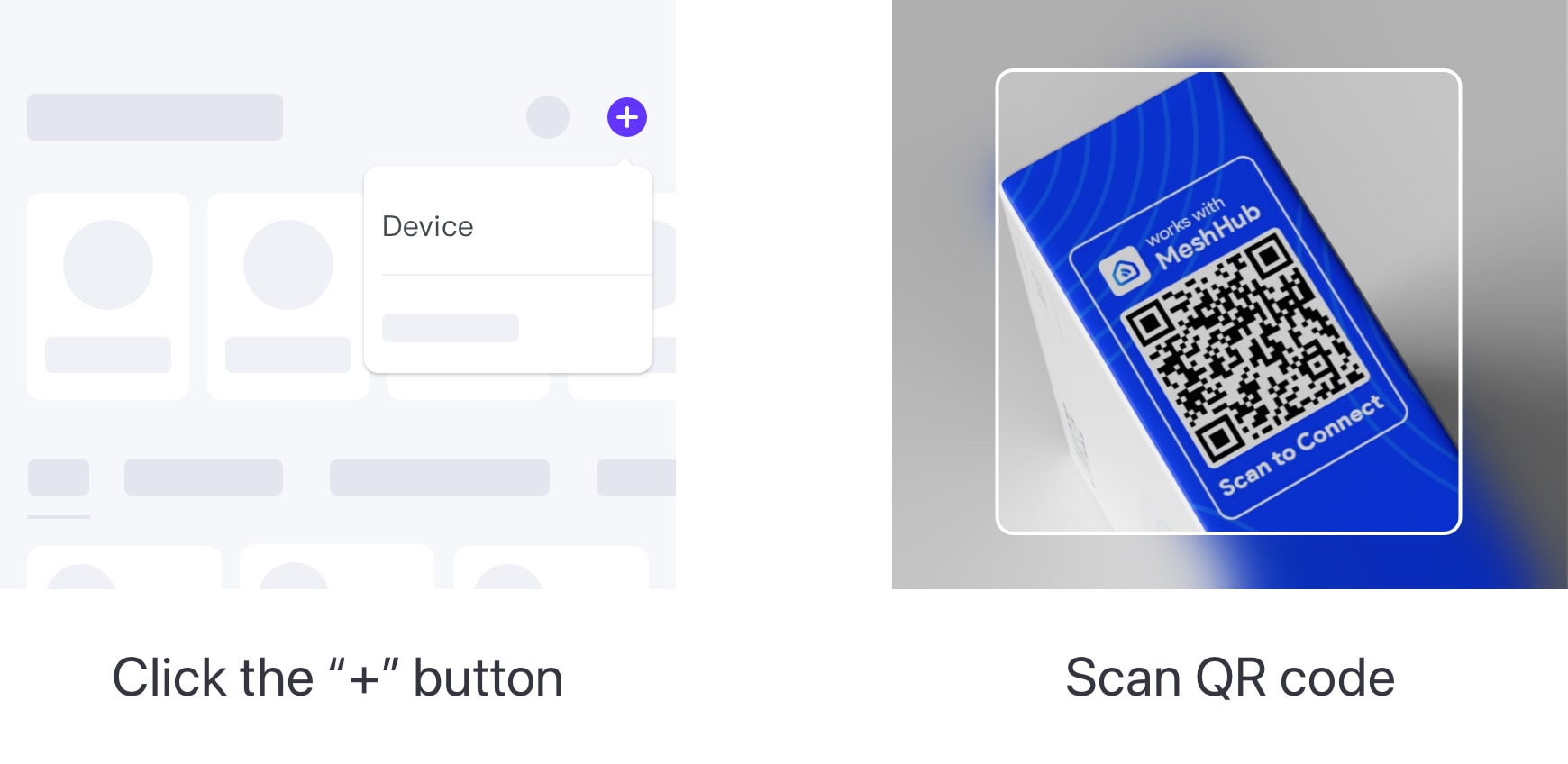
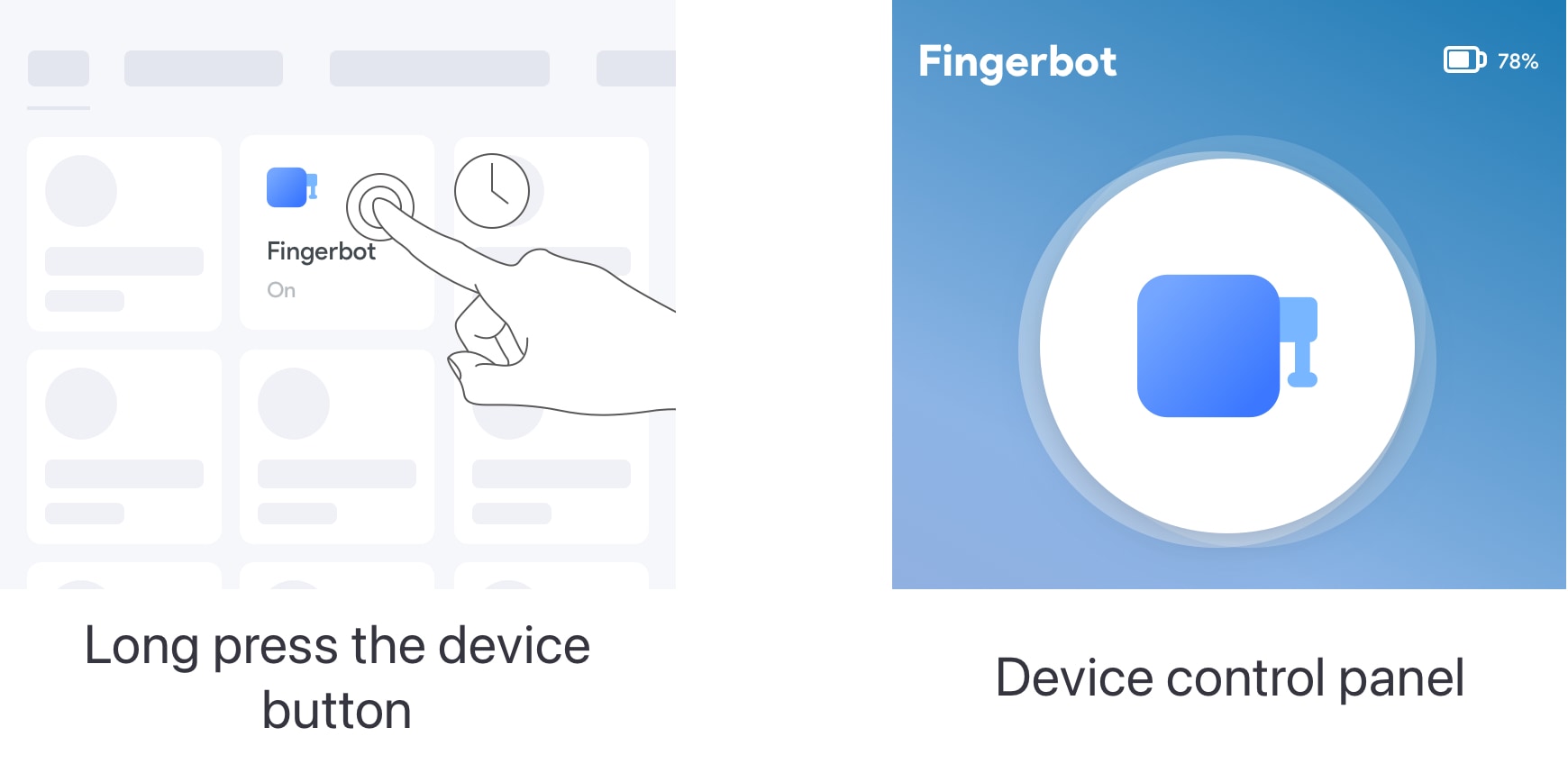
After the device is successfully connected, click the 'Device' tab at the bottom bar. The button representing your Fingerbot will appear in the device collection panel. You can click it to trigger the Fingerbot’s default action.
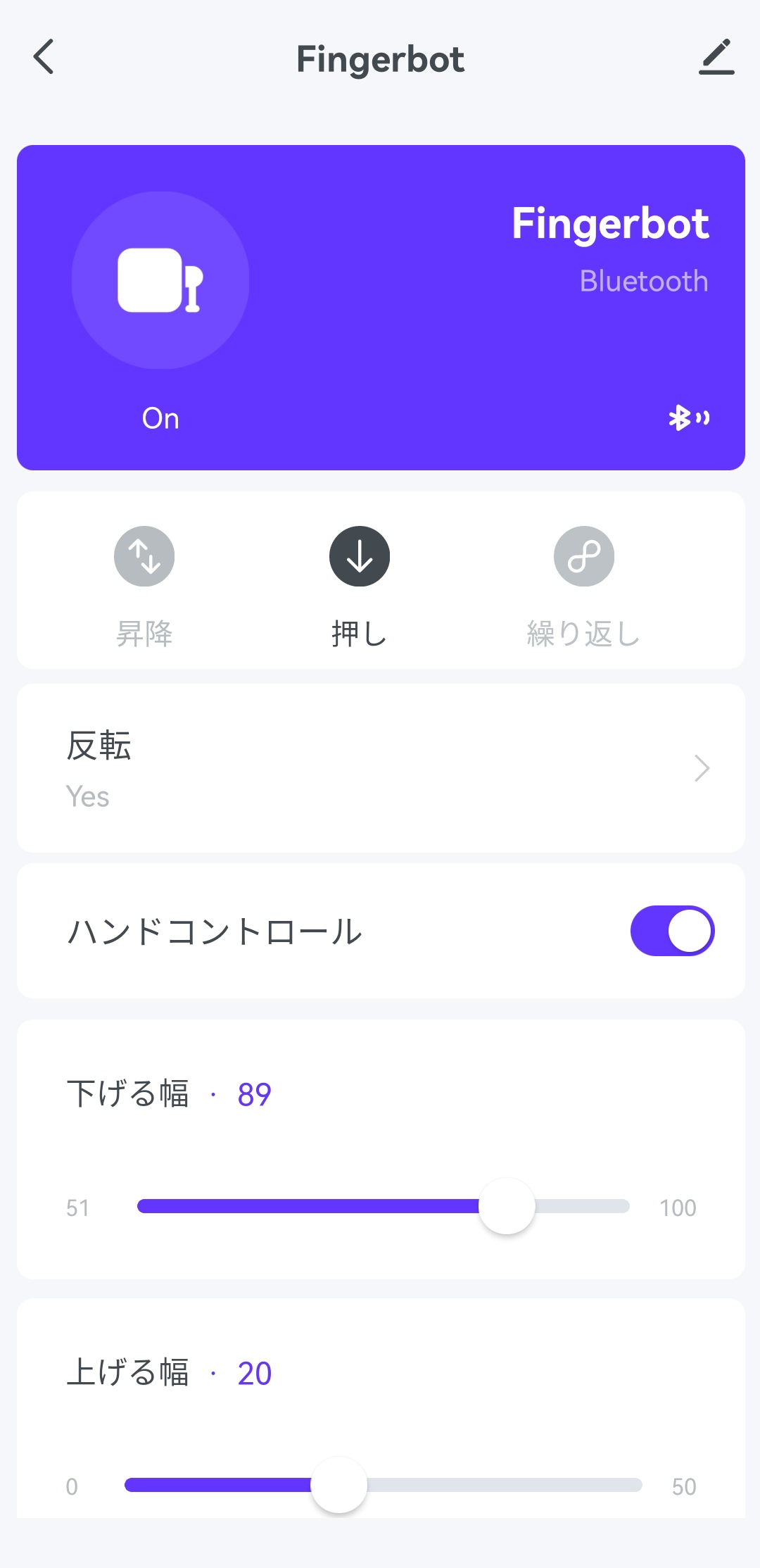
Long press the device button to enter the device control panel. There are more options for adjusting the device, such as mode choice, up/down movement, sustain time, etc.
Note: To ensure the best performance. We recommend resting the device for 30 seconds after it performs a click.
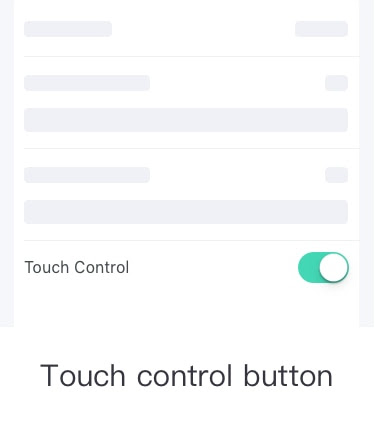
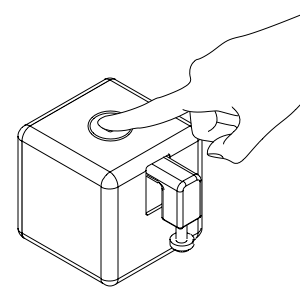
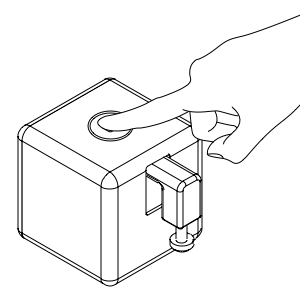
The physical button allows the Fingerbot to be activated without using your phone. Place your finger on the button at least 0.1s. The Fingerbot will be triggered.
To install your Fingerbot:
1. Clean the surface of the button panel where you want to install the Fingerbot.
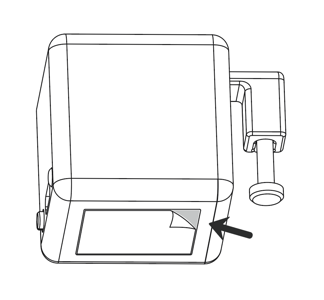
2. Attach the Fingerbot to the panel using a double-sided tape provided in the Fingerbot package.
3. Connect your Fingerbot with the app and calibrate the movement of the Fingerbot's robotic arm to fit the button. The 'Down Movement' parameter should be set to the value at which the Fingerbot's arm can press the button.
Note: Improper movement settings may bring additional resistance and reduce the life of your Fingerbot.
4. After installation, we recommend resting the device for 24 hours to reach maximum adhesion.
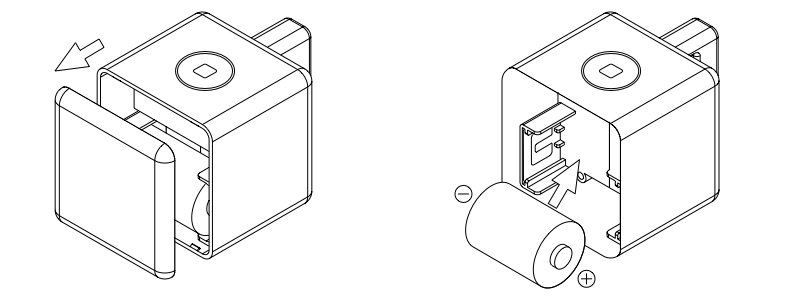
Fingerbot works with a replaceable CR2 3.0V battery. If its arm does not move as expected, please replace the battery.
To replace the old battery, please open the case from behind and ensure the new one is installed in the right direction.
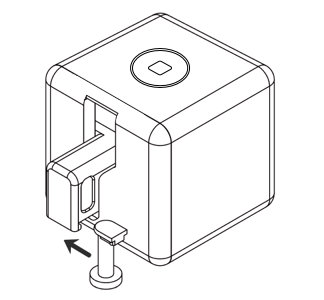
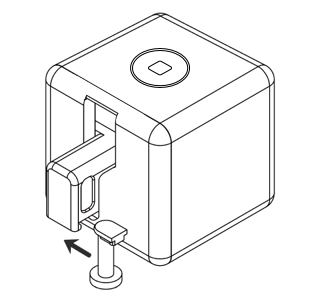
With the modular design, the Fingerbot’s arm is replaceable to meet different needs in diverse situations. We designed three Fingerbot arms and included them in the Fingerbot ToolPack (which should be purchased separately). Also, we provide free 3D printing templates for you to design customized Fingerbot arms.
The product is not waterproof. Please do not install it on an underwater appliance.
The product contains a battery, therefore prohibited in a humid, high-temperature environment.
Do not hinder the movement of the Fingerbot's arm when it is working. Otherwise, it may cause the arm to fall off and damage the motor inside the Fingerbot.
Dimensions: 34.5 x 34.5 x 34.5 mm
Weight: 38g
Wireless protocol: Bluetooth Low Power 4.2
Battery type: CR2
Pushing force: 10N
Maximum arm movement: 12 mm
Working temperature: -10℃ ~ 45℃
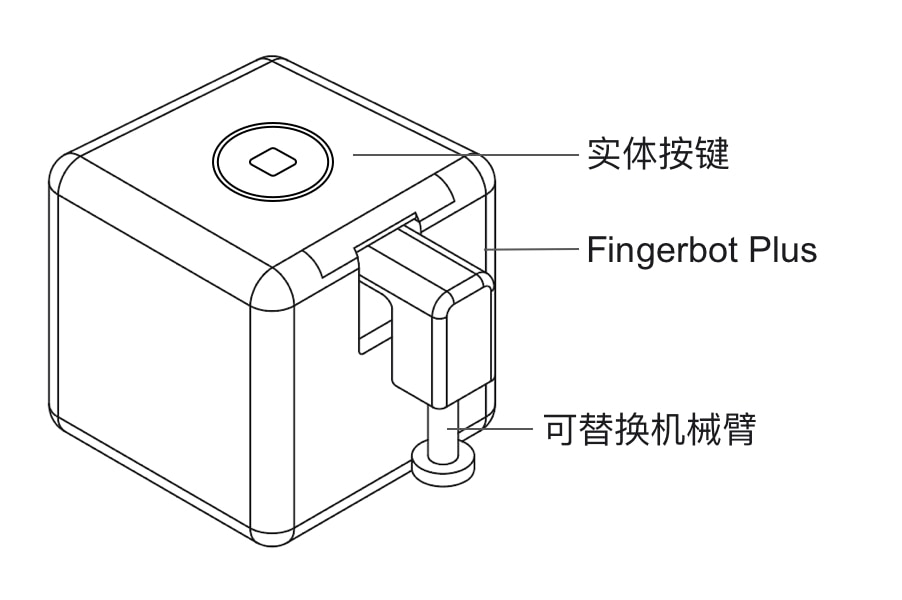
Fingerbot 是世界上最小的可以智能控制不同类型的按钮和开关的机器人。它可以通过机器人点击控制您现有的家用电器。通过应用程序开关灯,早晨定时打开咖啡机,通过语音命令激活您的吸尘器,远程打开您的办公室 PC等。现在有了 Fingerbot,这些都变得轻而易举。
智能生活是控制智能设备的移动平台。 您可以在手机应用商店中搜索“智能生活”进行安装。
使用前请从后面打开背板,取下电池绝缘片给设备通电。
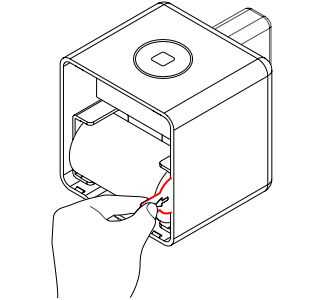
将您的 Fingerbot 与新帐户配对时,需要重置设备。请长按重置按钮5秒,直到蓝灯闪烁,重置设备。
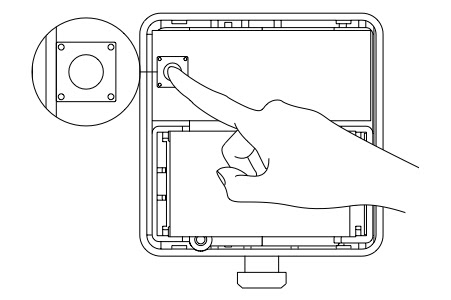
打开App点击右上角的“+”按钮,然后点击“添加设备”面板中的传感器按钮,按照App中的提示进行设备配对。
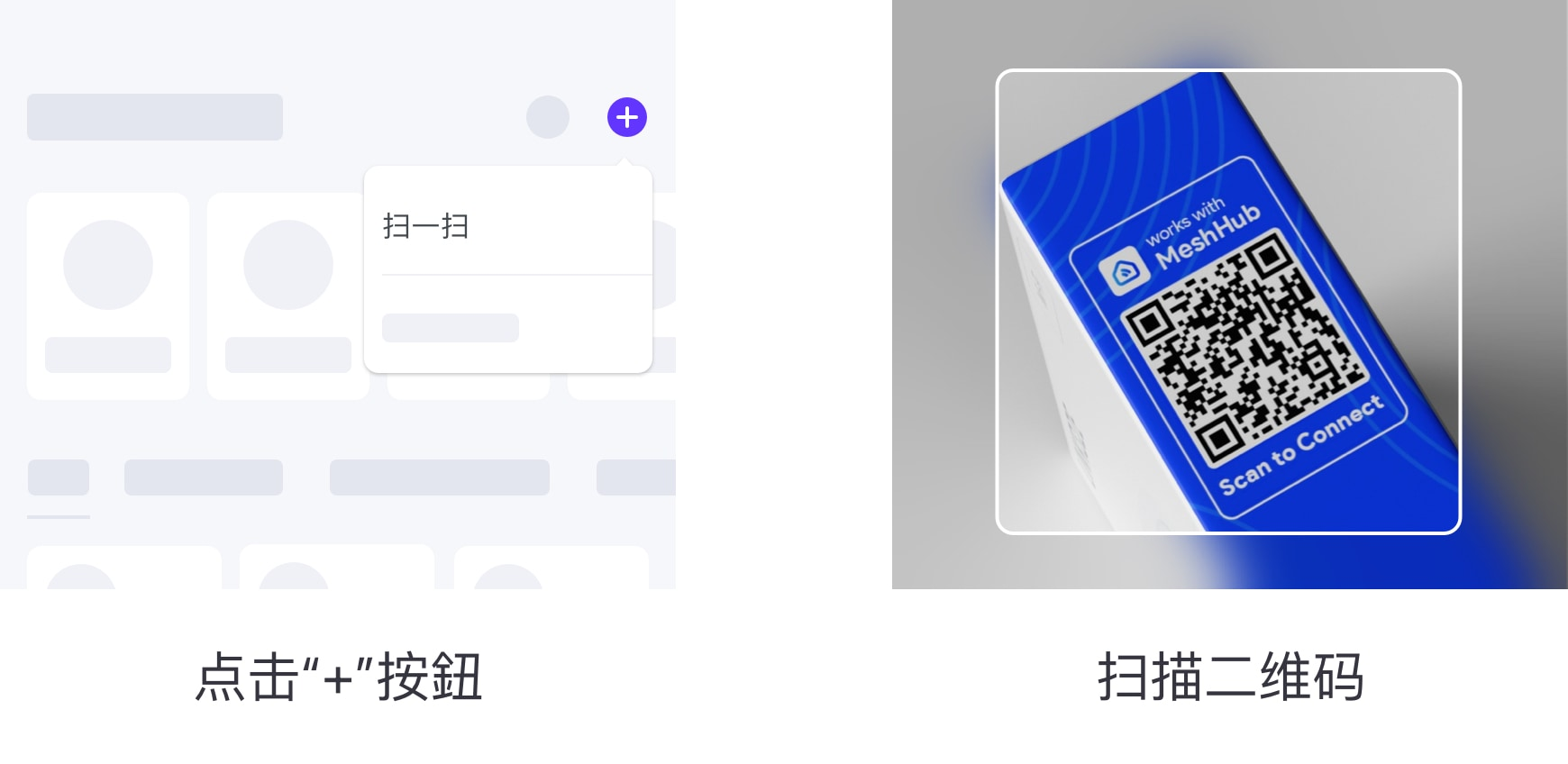
设备连接成功后,单击底部栏的“设备”选项卡。代表您的 Fingerbot 的按钮将出现在设备面板中。您可以单击它来触发 Fingerbot 的默认操作。
长按设备按键进入设备控制面板,调整设备的选项更多。例如模式选择、上/下移动、维持时间等。

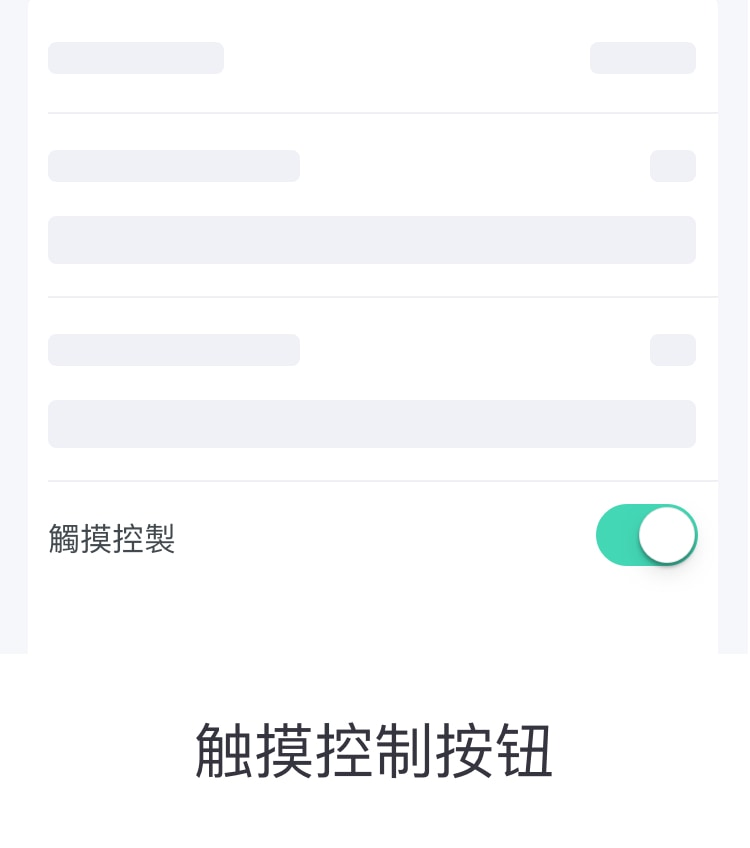
物理按钮可以让你在不使用手机的情况下触发 Fingerbot。将手指放在按钮上至少 0.1 秒。 Fingerbot 将被触发。
要安装您的 Fingerbot:
1. 清洁要安装 Fingerbot 的按键面板表面。
2. 使用 Fingerbot 包装中提供的双面胶带将 Fingerbot 连接到面板上。
3. 将您的 Fingerbot 与应用程序连接,并校准 Fingerbot 机械臂的运动以适应按钮。 “向下运动”参数应设置为 Fingerbot 的手臂可以按下按钮的值。注意:不正确的移动设置可能会带来额外的阻力并缩短 Fingerbot 的使用寿命。
4. 安装后,我们建议将设备静置 24 小时以达到最大附着力。
电池更换
Fingerbot 使用可更换的 CR2 3.0V 电池。如果它的手臂没有按预期移动,请更换电池。
要更换旧电池,请从后面打开外壳,确保新电池安装在正确的方向。
采用模块化设计,Fingerbot 的手臂可更换,以满足不同情况下的不同需求。我们设计了三种 Fingerbot 手臂并将它们包含在 Fingerbot ToolPack(应单独购买)中。此外,我们还提供免费的 3D 打印模板供您设计定制的 Fingerbot 手臂。
警告
该产品不防水。请不要将其安装在水下设备上。该产品包含电池,因此禁止在潮湿、高温的环境中使用。请勿阻碍 Fingerbot 工作时手臂的运动。否则,可能会导致机械臂脱落,损坏 Fingerbot 内部的电机。
尺寸:34.5 x 34.5 x 34.5 毫米
重量:38g
无线协议:蓝牙低功耗4.2
电池类型:CR2
推力:10N
最大手臂运动:12 毫米
工作温度:-10℃~45℃
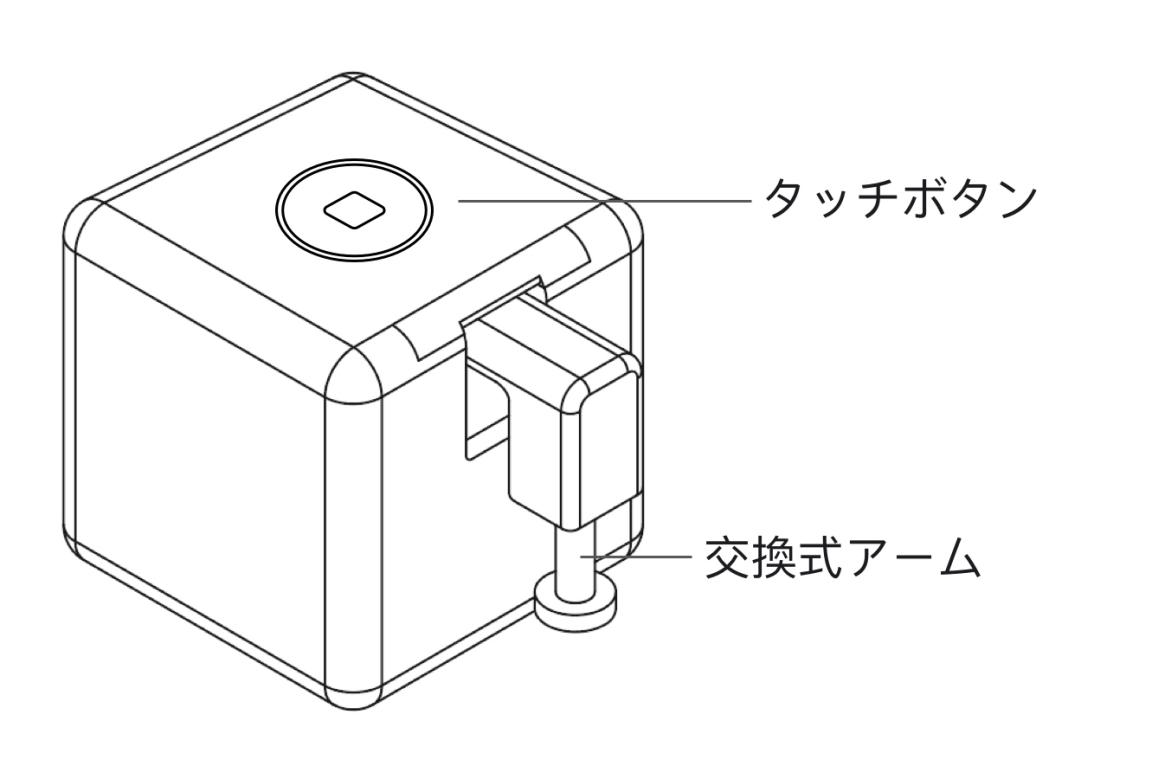
Fingerbotは、さまざまな種類のボタンやスイッチをスマートに制御するための世界最小のロボットです。 ロボットクリックで既存の家電製品を制御できます。 アプリを介して照明を切り替え、コーヒーメーカーをスケジュールし、音声コマンドで掃除機を制御して、オフィスのPCの電源をリモートでオンにします。 これらすべてがFingerbotで簡単に実現されます。
Smart Life Appは、スマートデバイスを制御するためのアプリです。アプリストアで「Smart Life」を検索して、またはパッケージの底にあるQRコードをスキャンして、アプリをダンロードしてください。
デバイスの電源をオンにするには、使用前にケースを後ろから開き、バッテリー絶縁シートを取り外してください。
Fingerbotを新しいアカウントとペアリングする場合は、デバイスをリセットする必要があります。 デバイスをリセットするには、リセットボタンを5秒間長押ししてください。
デバイスをリセットした後、アプリを開き、「デバイスの追加」ページに移動します。 スマートフォンのBluetoothとWi-Fi(2.4GHzのみ)が有効になっていることで、Fingerbotが自動的に検出されます。 デバイスをペアリング後、Fingerbotがアカウントに登録され、制御できるようになります。
デバイスが正常に接続されたら、 Fingerbotを表すボタンがデバイスコレクションパネルに表示されます。 タップすると、Fingerbotのデバイスコントロールページに移動することになりします。ここで、デバイスモードやアームの動きの設定などの調整ができます。
注: 最適なパフォーマンスを確保するために、タップを実行した後、デバイスを 30 秒間休ませることをお勧めします。
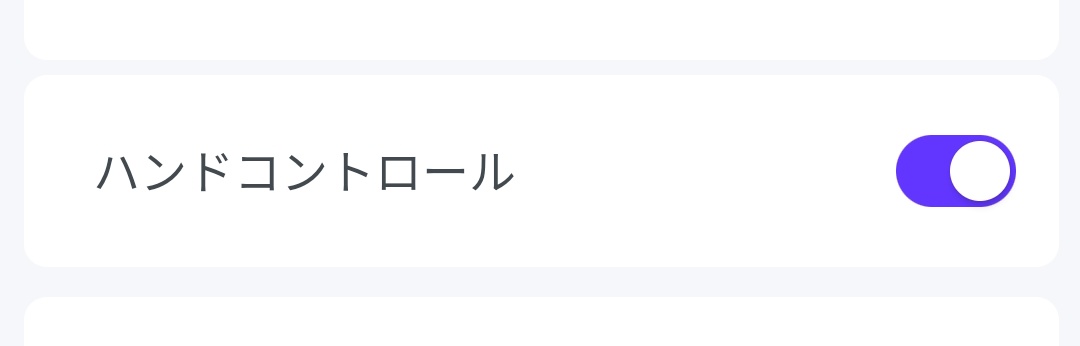
物理的なボタンを使用すると、スマホを利用せずに Fingerbot を制御します。ボタンに指を 0.1 秒以上置いてください。フィンガーボットがトリガーされます。
ボタンのオン/オフはコントロールページに調整できます。
Fingerbotを取り付けるには:
1.Fingerbotを取り付けるボタンパネルの表面を清潔します。
2. Fingerbotパッケージに含まれている両面テープを使用して、Fingerbotをパネルに取り付けます。
3. Fingerbotのロボットアームの動きを調整して、ボタンに合わせます。 注:不適切な動きの設定は、抵抗を増やし、Fingerbotの寿命を縮める可能性があります。
4. 取り付け後、最大の接着力に達するまで、デバイスを24時間休止することをお勧めします。
Fingerbotは交換可能なCR2バッテリーを使用します。 アームが期待通りに動かない場合は、電池を交換してください。
古い電池を交換するには、ケースを後ろから開き、新しい電池が正しい方向に取り付けられていることを確認してください。
アームは各種スイッチボタンに対応できるよう、交換可能な設計になっています。 キットパックには3種類のアームスタイルが含まれています(別途購入する必要があります)。
製品は防水部品ではありません。 水中には機器を設置しないでください。
この製品にはバッテリーが含まれているため、高温多湿の環境では使用しないでください。Fingerbotが機能しているとき、Fingerbotの腕の動きを干渉することはできません。 干渉による、アームが脱落し、内蔵のモーターが損傷する可能性があります。
寸法: 34.5 x 34.5 x 34.5 mm
重さ: 38g
ワイヤレスプロトコル: Bluetooth Low Power 4.2
電池のタイプ: CR2
スラスト:10 N
最大腕の動き: 12 mm
作業温度: -10℃ ~ 45℃