Fingerbot
User Manual

English

1. First, ensure that the Bluetooth on your phone is turned on and that the network is enabled.
2. Remove the insulation sheet and confirm that the indicator light is flashing. If it is not, press and hold the reset button/function button for 5 to 8 seconds until the indicator light starts flashing, indicating that the device has entered network pairing mode.
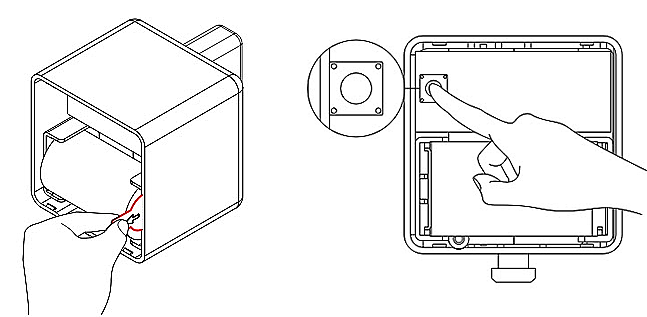
3. Open the app and click the "Add Device" button. Then follow the instructions in the app to proceed with the device pairing process.